5 Catalog Design Essentials for Your Business

If you have a small business with a large product or service offering, odds are you have a catalog, and if you don’t, then you’ve probably wanted to create one, but didn’t know where to start. The process can be daunting–with so many elements to pull together and all sorts of design options to consider. So to help you get started, we’ve made a list of 5 tips to keep your efforts and design on track.

1. Know Your Audience

When choosing a design for your catalog, keep in mind your audience and appeal to their style, interests and demographics. Creating a sense of lifestyle will help you connect with customers and position your product as an object of their desire.

2. Reflect Your Brand

Keep your catalog style consistent with your brand style. You want to be sure they can make a connection between your website, logo, and service/products and your catalogs. Whatever you do, design with your brand in mind and be sure the voice and design of the catalog matches the voice and design of your brand. Once you have established a successful look-and-feel for your catalog, resist the temptation to change it. Repetition builds brand recognition, favorable reception and sales.

3. Use Quality Photography

All images should be of the highest quality possible. Make sure your pictures are clear and vivid, not pixilated. Poor quality images will send the message that the products are low quality. If you can’t afford to hire a professional photographer, read up on blogs and forums for great tricks for taking your own product photos. Also try to mix up the type of shot. Catalogs benefit from pacing and surprise – simple silhouetted images, closeups of details, wide angles, full-bleed photographs and lifestyle shots sustain viewer interest and keep them turning to the next page.

4. Space and Layout

The most important thing about a catalog is highlighting your product, so be sure you have ample white space for each item. Cramming text and images into a page, or using the exact same layout throughout the document will make it look stale and won’t encourage your customers to really pause and look over the whole spread. A consistent layout throughout the catalog enhances readability but can become boring, so be sure to break up the monotony of a predictable layout by including a unique page or two to highlight a favorite product or create an editorial opportunity for your customer to connect with the product.

5. Use fonts and color wisely

Be sure to use fonts that fit your brand’s style. If you have a children’s apparel brand, your typeface selections will be very different than if you have a luxury spa brand. Do not go overboard with typefaces, it’s probably best to limit your selection to just three. You can read more about this in our recent typography blog post.

Start Planning and Then Start Publishing

There aren’t any hard and fast rules for creating your catalog, just remember to keep it simple so that your product attracts more attention than your design. After all, the objective is to sell more, right?

A good starting point is to jott down words that come to mind when describing your brand: Is it whimsical? Sophisticated? Luxurious? Fun? These words will make the perfect litmus test as you assemble your catalog. Then every step along the way you can ask yourself, is this publication reflecting this image?

Now that you are ready to get started, take a look at some of the great examples of catalogs on MagCloud. We hope they will help inspire you. Already published a catalog with MagCloud? Share it below in the comments!



Attract an Audience to Your Event with Great Content

Whether you are planning a large conference, an intimate meeting for VIP customers, a quarterly gathering for club members, or an annual fundraising event, content plays a pivotal role in attracting and pleasing attendees.

Compelling speakers are the most important factor in attracting attendees to your event.  Finding speakers who are relevant, experienced and have a unique story to tell will not only drive attendees to your event, but keep them talking about it well after the event is over. You should even consider soliciting potential attendee feedback in the process of selecting keynote speakers, panelists and meeting topics.  A great example of this is the South by Southwest Panel Picker, which allows their community to vote on proposals for various speakers and panel topics, thus engaging their audience in the actual content programming of the event.

Networking is more than a handshake. Besides great speakers the other reason people attend events is to network.  As an event organizer you can help your attendees get the most out of the event by making networking easier before, during and after your event.  Use the existing social networks to get attendees talking prior to an event—event Facebook Pages or Groups, Twitter Hashtags, LinkedIn Groups etc.  Consider hosting Birds-of-a-Feather sessions or lunches where attendees can gather to informally discuss topics of mutual interest.

Attention grabbing materials.  Print and digital materials you use to promote your event—brochures, flyers, newsletters; and inform attendees while at your event—programs, daily papers, agendas etc. are an important factor in audience engagement. Events like music festivals, sporting events and business conferences are complemented well by programs that can serve as both a guide to attendees as well as used for marketing material down the road. An event program is a great way to showcase the talent you’ve organized, share the purpose of your event, promote your sponsors and acknowledge those who deserve thanks.

Here are a few of our MagCloud favorites (from MagCloud publishers as well as others) to provide some inspiration:

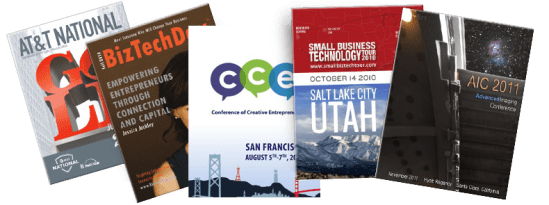
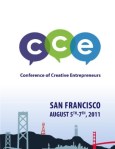
    • Conference of Creative Entrepreneurs published the program for their August 2011 event in San Francisco. This program does a great job of posting the packed schedule along with speaker bios and ads for local businesses (It’s clear they put a priority on great design – a top MagCloud tip!)
    • 2010 Albuquerque Balloon Fiesta – it’s not just about a one-week event in October. This program delves into the history of the annual Balloon Fiesta and gives details on each balloon flying at the event – it’s sort of like the “speaker bios” of the balloon festival world.
    • 2010 Justin Timberlake Shriners Hospitals for Children Open program has a clear focus on great photography especially the shots of the individual holes (pages 50-66) not to mention beautiful integrations with their sponsors. The ads are woven into the program and don’t feel forced or out of place.
    • SXSW 2012 Event Marketing brochure is chock full of impressive stats, engaging content and gorgeous design.
    • TED Fellows 2011 Booklet gives shout outs and thank yous up front along with a brief description of the program and of course a look at each TED Fellow and the work they are up to.
    • Guide to Davos dives into the topics at hand for the 2011 Davos Conference and gives the reader a feel for the tone and sheer importance of the event. Layout is unique and could work well for an event that requires articles in their program to communicate its story.

And if you are ready to get started on materials for your next event and need a little help check out our collection of free event program and brochure templates:

Have you taken a unique approach to selecting speakers, creating networking opportunities or created killer event materials? If so please feel free to share those ideas in the comments section and tell us what kind of feedback you received from event attendees and partners.


Tech Tools For Event Planners

It’s been an exciting couple of weeks in the MagCloud offices. Our friends at SmallBiz Technology gave us a great shout out on their blog! In 7 Tech Tools to Help You Organize Your Next Successful Event, Ramon Ray names HP MagCloud as an “awesome service for printing your event program.” Being featured is great kudos in itself, but we’re mostly thrilled that we are considered a go-to, reliable service for printing your event materials.


We’re always looking for ways to make MagCloud better for you, and it’s moments like this that make us feel we’re getting the job done. Thanks, SmallBiz Tech!

Are you putting together an event soon? Will you be using MagCloud’s print and digital services? How about the other superb companies mentioned in Ray’s article?

Let us know what you think in the comments below.


Easier Access to Publisher Tools

With our redesign of the MagCloud home page we’ve put the most important publisher tools just a few clicks away. Now when you sign-in to MagCloud you’ll immediately have access to a variety of publisher tools including  sales stats, publication drafts, promotion tools, recent orders and much more.
Your personalized home page will dynamically serve up content that is most important to you:

  • Sales Information: If you sell your publications via MagCloud, you’ll automatically see your pertinent sales stats: page views, recent sales, digital downloads, your followers and your sales earnings.
  • Publishing Tools: You’ll have easy access to your latest drafts, and one click access to promotion tools, your address book, a pricing calculator and your entire publication library.
  • Recent Purchase History: You can easily access recent order details and available digital downloads.
  • Recommendations: We’ll recommend other publications you might be interested in based on other publications and publishers you’ve shown interest in.
  • News Feature and Tips Updates: We are constantly adding new features, offering new templates and giving out design tips to make your publishing lives a little easier and you’ll be able to access the latest information directly from your home page.
So sign-in to MagCloud to check out our new home page design and let us know what you think in the comments section below.

Get With the Program

Planning for an event can sometimes be, well, eventful. There are always changing schedules to deal with, speakers canceling at the last minute, and 11th hour edits to the program. Making it to press in time (sometimes weeks before the event) with all of these adjustments can be nearly impossible. So, why not lighten your load and use MagCloud?

With fast print turn-around times (as fast as 3-business days for some orders) and great digital options, you could have your next event’s program done quickly, printed beautifully and even offer a digital option to attendees who would rather have their program on their mobile device.

Whether you are planning an internal training day for 10, a corporate meeting for 100 or a conference for 1,000+, MagCloud makes it easy to publish a program with just a few clicks of the mouse and have prints delivered straight to the event location. How easy is that?!

Need shipping that fits your budget? Use the MagCloud pricing calculator to figure out what level of shipping option works best for you.

To help you get started, we have 3 basic templates for Adobe InDesign (CS3 and later) Microsoft Word, and Apple iWork Pages. You can also find templates for sale online from many sites, but be cautious that many of them will require some tweaking to output for print through MagCloud. Please see our How to Guides for details on MagCloud-ready settings.

Ready to design on your own? Get inspired by other publishers’ event and sports programs and agendas on MagCloud:


Let’s Get Creative

While portfolios and business brochures are relatively common publication types on MagCloud these days, there are a number of other unique use cases we see where publishers take advantage of MagCloud’s high quality print and digital distribution to serve their business needs. Today we’d like to share a few of these with you, and hopefully spark your creativity for your own MagCloud publication.

Calendars
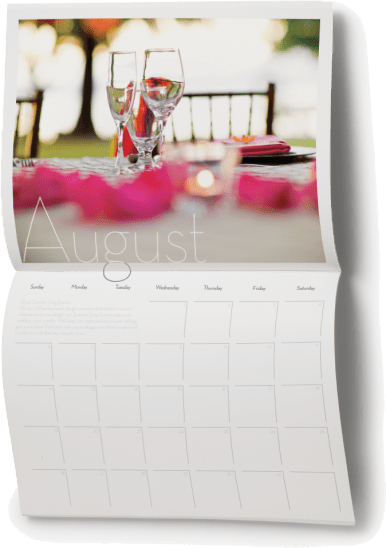
As discussed in our post earlier this week, we usually see an uptick in the number of calendars published on the site around this time of year. These calendars show off everything from family portraits to product imagery, and with the MagCloud storefront and print on demand capability we’ve seen some successful calendar fundraising efforts. Plus, now that we have our smaller digest format, MagCloud calendars can be ultra-portable or even expanded into daily planners. If you’ve been looking for a place to get started on your own calendar, check out our 2012 calendar templates.

Annual Reports
Another timely publication type we see on the MagCloud site is the annual report. These run the gamut from smaller startups who just want to print up a handful of copies for investors to larger companies that want an easy way to make their report available online with both print and digital options. Our standard-sized perfect bound publication is particularly well-suited to this use case, since its heavier cover stock and square binding offers a more professional look and feel.

Holiday Greetings
MagCloud also offers a great way to get in the holiday spirit with a pro-quality print and digital family newsletter that gets published and distributed just in time for the holidays. Combine your Holiday Newsletter publication with our Ship to Group feature making it easy to send one copy of your publication to a group of addresses. If you’re looking for tips to make your own holiday greetings through MagCloud, check our blog post from last year for templates and instructions.

Cookbooks
Recipe collections are another popular MagCloud publication type, serving the purpose of business promotions, community fundraisers, and wedding favors. With options for ordering print copies and downloading onto mobile devices like the iPad, MagCloud cookbooks are easy to keep close at hand in the kitchen. To help you get started on your own cookbook, check out our prior blog posts with templates and instructions for Adobe InDesign, iWork Pages, and Microsoft Word.

Workbooks, Manuals, and Guides
A number of publishers have used MagCloud to print field guides, camp workbooks, how-to guides, training manuals, educational workbooks, and operations manuals to complement a variety of business needs. In some cases these are printed ahead of time for use during a workshop or class, while other times they are simply made available online for attendees to purchase as supplementary or stand-alone training materials.

Programs
We see programs of all kinds published on the MagCloud site for events like weddings, plays, memorial services, conferences and music festivals. Our new digest product is particularly well-suited for this use case, since its smaller size is less obtrusive and fits more easily into bags and purses.

Menus
Another great business use case for MagCloud is a menu. Our full color printing helps show off vibrant food photography, while the on-demand printing makes it easy to order copies in small batches as they are needed and make changes between print runs.

Knitting Patterns
There are a number of publishers on MagCloud creating knitting pattern publications. We’ve seen patterns for hats, mittens, scarves, leg warmers, sweaters, and even a wine bottle cozy.  Get a first hand account from MagCloud publisher Alexandra Tinsley.

Real Estate Materials
We’ve also had real estate brokers printing 4-page factsheets for their listed homes through MagCloud, as well as more extensive photo pamphlets for both homes and yachts.  We also included a more extensive listing catalog as one of our templates for Microsoft Publisher.

Blog-Based Publications
A number of publishers on MagCloud are bloggers who use MagCloud to publish their content in an alternate way. Sometimes these are published as collections of posts that might fit a theme, or were voted on by the community, or are simply from a period of time. In other instances, these publications contain additional information that expands upon what was originally posted on the blog, such as fresh content about a profiled individual or the backstory of an image.

These are just a sampling of the diverse publication types that we’ve seen published to the site, with more being uploaded everyday. What have you created through MagCloud? Have you been inspired to create any of the publications types listed above? Tell us in the comments below!

Brochures that Engage and Inform

MagClouders are creating some truly attention-worthy brochures for their businesses…and it’s reaping rewards for their bottom-line. For example:

Wendy Whittemore’s Aerial Innovations Brochure mixes striking images with an eye-catching layout.

 Stanley Harmsen van der Vliet’s AML Training Center Brochure presents a lot of copy in a clean, easily-digestible format that somehow manages to offer plenty of white space and images to break up the content.

Ben Gin’s IADLEST Conference Brochure fills up every space with the retro look and feel of the conference location: Opryland in Nashville, TN.

These folks and others are creating amazing marketing pieces with MagCloud! If you’re working on a brochure project, we highly recommend you check out the work already published on MagCloud.com for inspiration.

A great brochure grabs the reader’s attention with eye catching images, great layout and of course compelling content. Here a few design and content things to keep in mind when developing your next business or event brochure.

Include stunning images, but make sure they speak to the purpose of the brochure

Maximize the white space – find a way to tell your story in fewer words and with smaller images. No one wants to read a brochure that fills every nook and cranny – it’s not very attractive to a reader.

Design within a real-life context. If your brochure is for an upcoming Harvest Festival, don’t forget to give a little nod to the season with a few Fall leaves. (Be careful, too much of a good thing is no good either – don’t go overboard).

Assume this is the first time the reader is hearing about your organization. Prominently feature the most important piece of information you want people to take away after reading the piece (product sale, mission statement, event date/location, etc.).

This is also your chance to clearly define your brand with a logo, tagline and color scheme that complement your other brand assets. In other words, make sure your brochure is consistent in design and tone with your company website, social media profiles and other printed materials.

Use persuasive language that focuses on the key differentiating factors of your product, company or event from the competition. You’re offering something unique—here’s your chance to tell the world!

Don’t forget the call to action – tell the reader what you want them to do when they’re done reading the brochure (call this number, visit a website, register online, etc.)

Bring in visuals. We’ve written about this in a previous post and recommend you take a look at our Trends and Resources for Great Looking Business Collateral for a refresher. In short, bring in images, infographics or quotes to highlight that will bring your story to life.

Be concise! Don’t try and tell your whole story within a brochure. Just remember, would YOU want to read a long brochure?

Let us know if you have any other tips for creating brochures. Or, post a link to a great brochure that inspires you in the comments section below.

It’s that time of year again…

Every year around this time, we see a bevy of calendars popping up on MagCloud. But surprisingly, they are not all what you would think… Sure, there are plenty of family calendars published, undoubtedly intended for distribution to cousins, aunts and grandma, but we think the more interesting use-case are the those being put together by professionals to promote their businesses. And what better way to stay top of mind with your clients, than to be pinned to their wall, where they will see you everyday?
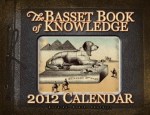
Whether you’re an event planner wanting to showcase your aesthetic, a photographer promoting your work, a non-profit raising awareness or a small business trying to keep your team top of mind with your audience–calendars are a great way to keep your name in front of your client all year long.

Assembling a calendar can be time consuming, so this week we did the heavy lifting for you. Below you will find calendar templates for 3 of the most-frequently used software programs on MagCloud:

Adobe InDesign (CS3 and newer) (zipped version is HERE)

Apple’s iWork Pages

Microsoft Word

You can use these as a starting point for creating your own professional or personal calendar. We won’t spend a ton of time going into the technicalities of how to use these templates because we’ve covered that for Word and Pages last year.

BONUS: if you are using InDesign, there are 3 styles of calendar hidden within the master pages that you can easily apply by changing the master pages for each spread.

Get inspired by some of the great 2011 and 2012 calendars already on MagCloud:


Have you created or found a great calendar on MagCloud? Share the link below in the comments section!

New Brochure Template for Adobe InDesign

Need a little help getting started creating your next brochure?  We have added a new brochure template to our free template collection.

This four page template is for Adobe InDesign users and is perfect for product or service brochures.  We’ve created a sample publication using this template to show you how easy it is to make a great looking brochure that is MagCloud-ready.

If you are new to using Adobe InDesign to create MagCloud-ready publications make sure to download our Adobe InDesign Getting Started Guide for tips on settings for trim, bleeds, image resolution and more.

Let us know what you think of the new template in our comments section below.

Put MagCloud to Work: Publish a Business Brochure

A wise person once said ‘You never get a second chance to make a first impression’. In fact, it just takes a few seconds or a cursory glance for a person to make a judgment about us. Our subsequent actions, behavior and professionalism may change that perception slightly, but not to a great extent.

So it stands to reason that how you portray your business to prospective clients is almost as important as how you do business.

Whether you are a fashion designer, a multi-media training company, an industry consultant, a yoga studio, or a niche photographer, putting your brand out there in a professional manner is extremely important.

One could argue that a brochure is just as important as your business card. It is an important marketing and sales tool, one in which you can do a little bragging and shamelessly present your business in the most positive light. It is your opportunity to create a lasting impression, so be sure that it is a good one.

Whether you are a company with a staff of 2, 20 or 20,000, MagCloud is a great tool for affordably publishing and distributing your brochures in a professional format. Our full-color, full-bleed print options in both standard and digest trim sizes give you the choice to create a robust brochure of multiple pages, or something simple and portable, like a four-paged digest handout. Digital distribution options also make it easy to share your brochure digitally to a desktop, laptop, the iPad, or other mobile device.

MagCloud’s ship-to-group feature makes it easy to drop-ship seasonal information or annual brochures to your clients around the world. Or, if you are a small business, its on-demand functionality means that you can distribute individual copies as needed to interested clients, allowing you to maintain a professional appearance without exceeding a limited budget.

Once you have these great logistics and beautiful print quality, the only thing holding you back is content, and design. Here are a few tips for gathering the content you should include in your brochures, and how to effectively assemble it into a professional-looking publication.

Getting Started:

Who are you talking to?

The first thing you need to know is what you want your brochure to accomplish. That ties directly into the target audience and what the message of the brochure will be. Identify your target audience and speak directly to them. Never try to address everyone. Once you know who your audience is, it will be easier to target your messaging and articulate that your product or service is a solution to their needs.

What is your message?

Always include a meaningful headline. Your headline should clearly communicate your main point so that even if the reader reads nothing else, they will understand what you are about.

Tell the whole story in your writing. Be concise, but remember to write your body copy in plain English. Don’t use jargon or industry lingo, instead pretend you’re explaining your message to a friend.

It’s helpful to use succinct, pithy copy. Avoid long sentences. Keep your message to the point. Use subheadings liberally, as they break up long copy and help draw a reader through the text. Ideally, a reader should be able to get a good grasp of your message by reading only the headings and subheadings.

Designing Your Brochure: 

When all of your information is gathered and your writing is done, you can finally get down to the business of designing. You’ll want take into account the basic elements of good design – organization, consistent styling, balance, color, and so on.

Lay out your brochure cleanly and professionally. The design should draw the reader in and ease the process of reading. Remember that erring on the simple side will be easier for your consumer than an over-designed, distracting or hard-to-read brochure.

It’s great to use graphics to provide balance with text, but be sure they are relevant to your content. Use graphics that grab your reader’s attention and underline your message. Whether it’s a picture, logo, or stock image, just be sure it relates to your message and brand.

As with any design there are some things you’ll want to avoid. These include:

  • Avoid over-used typefaces, such as Arial and Helvetica. Read more in our recent blog post.
  • For content type, keep the point size under 12.
  • Don’t use more than three type faces in a brochure.
  • Generally don’t use more than one alignment.

If you feel lost…

Starting from scratch on a brochure can be challenging. Some great resources for design inspiration can come from other designs. Try searching the web for brochures in your industry and see how your design stacks up against the competition. You don’t want to copy someone else’s design, but it’s a great way to get inspired.

Also check out the stock templates available within most design and word-processing software. If you aren’t a super-savvy designer using InDesign or Quark, you’ll be amazed what you can do with Apple iWork Pages, Microsoft Word, and Microsoft Publisher. For those who are confident in their skills with the software, but looking to get a more professional look, you can also investigate altering templates from Stocklayouts or Inkd, just be sure you are ready to tweak these designs as they are not all perfectly sized for output through MagCloud.

Have you published your company’s brochure through MagCloud, or found other great resources for inspiration and design? Please share them in the comments below.