MagCloud for the Wedding Photographer

Whether you are a professional wedding photographer with a studio space and a team of five, or you’re flying solo, it’s important to present your business in the most professional and appealing way possible to your clients. MagCloud is an easy and affordable way to publish lookbooks, promotional tools and affordable products that that you can sell as a part of your business’s offerings. With easy publisher settings you can offer any, or all of your publications in both print and digital formats.

A number of photographers have already discovered the value of MagCloud for their business. They are using the service to promote themselves at trade events with a brochure or glossy catalog, provide lookbooks to potential clients, print proof books for existing clients; and even as a sales tool intended to up-sell clients to an entire gallery of prints rather than just one or two.

Let’s explore some of the options available for your wedding photography business:

Portfolio and Catalog:

At just 20¢ a page for Standard size or 16¢ for Digest size, MagCloud offers full-color, full-bleed printing on HP’s beautiful Indigo presses–a true advantage for today’s professional photographers.

For example, if you want to create a full-color soft-bound book to highlight your photography and present your services, you could do so in a 28-page Standard-sized perfect-bound publication for just $6.60 a copy. Yep, you read that right, $6.60 a copy. And you don’t have to buy 100 to get that pricing, you could order them one at a time if you like, or drop-ship them to an address list of potential clients who have seen your work online and are interested in learning more.

**Want to create one of your own? If you use Microsoft Publisher, we’ve already got a great basic 4-page catalog template to get you started. Don’t use Publisher? Feel free to use the design as inspiration for your own services catalog.

Lookbook:

If you’d prefer to woo your customers before revealing all of your pricing, or would just prefer to have something less time-sensitive for showing off your work, we suggest creating a lookbook. Lookbooks are a great way to express your style, showcase your best work, and really tell your potential customers who you are.

Some publishers have started to use our ultra-portable Digest Landscape format to create a marketing piece that shows off their best work in a portable format that doesn’t break the bank.

What’s great about this idea is that the Digest Landscape’s compact 8.25″ x 5.25″ size makes it easy to keep on hand. Should you meet someone who is interested in hiring you, you can easily hand off the book to a potential client and not cringe at what it costs to replace. And with a max page count of 384, you could create a lookbook that includes hundreds of images, worthy of your coffee table. At just 16¢ a page for our Digest Landscape publications (plus $1 for perfect binding), you can create an impressive 60-page lookbook for just $10.60.

Album for family and friends:

Waiting for that big beautiful album can sometimes take weeks, or months, so while your bride is still excited about the wedding and singing your praises, why not surprise her with a mini photobook, or cool glossy magazine of photos from her big day? She’ll be thrilled to show off your work to her friends and family, and with our 3-day print turn around time, you could surprise the happy couple before they get home from their honeymoon.

You could also create a similar album as a product for your newlyweds to give as a thank you gift to extended family, bridesmaids and groomsmen.

Sales tool:

If you sell more than just digital packages, you know how hard it can be to sell prints–especially large prints (like the elusive 20″ x 30″ canvas) or collections of images, intended to be displayed as galleries. Most clients can’t envision what a gallery of their images could look like–”How would they arrange them? Where would it go?” That’s why some photographers have created booklets to help their clients place their orders. Diagrams and examples can help customers to envision a gallery in their home so they can select prints that work well together. If you went so far as to create this publication and save it as a template, you could drop a few of the customer’s images into the gallery diagrams creating a customized booklet to really seal the deal.

Proof Book:
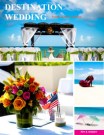
It seems just about everyone has made the switch to online galleries for proofing, but there is something to be said about proofing photos in print, especially when you are planning to buy them in print.

So why not put together a proof book for your client to accompany that online gallery? This way your bride can have something in hand when she talks to her parents or grandparents about that 20”x 30” canvas. You could even go so far as to include your print pricing, packages or gallery inspiration guide into a custom publication to help encourage larger sales.

Showcase for Vendors:
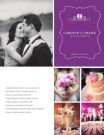
If you’ve been in the business for awhile, you probably have already had a number of referrals come not just from happy brides, but also from vendors. You know that impressing a location rep means your images might get highlighted when they tour brides-to-be around their venue. Event planners love to show off your beautiful photos of their meticulously-planned soirées, so why not give them access to your photos in a way that not only highlights their work, but at the same time shows you off? We’ve seen photographers partner with venues and service professionals to create custom showcase publications for their specific businesses, but imagine how popular you’d be with everyone down to the makeup artist if you created a showcase book for each wedding and shared it them for their own promotional uses? Every time they show off that booklet, their client will see your brand.

Annual Retrospective for past clients:

If you do more than wedding photography, it makes sense to remind your clients of this. Then, as your wedding clients become growing families, they can make you their photographer for life – there to document their pregnancy, baby photos, family portraits and even high-school seniors.

Creating an annual retrospective photography magazine to highlight favorite sessions from the previous year is a great way to remind customers that you do other types of photography. Similar to a portfolio, this sort of publication can really highlight events, press-opportunities and sessions that occurred during the past year. Clients highlighted in the publication would surely love a copy to show off to their friends, and it keeps you top-of-mind for their next photo-worthy occasion.

Client Gifts:

A number of wedding photographers send gifts to their couples at their anniversary, or around the holidays, so why not create a calendar template that you can customize for each couple?

Swap in photos from their big day, add their anniversary to the calendar, and voilà! You’ll have a product that costs you $5.60 + shipping (a 28-page Standard publication) and reminds your bride how fabulous you are every day of the year.

Print or Digital? Why Choose?

There is a constant debate about print vs. digital, arguing why one is better than the other. Here at MagCloud, our motto is “Why choose?” What’s great about all of these ideas is that if you like, any one of them could also be enjoyed and shown off on the iPad or as a digital download to any PC or tablet device. With just a few clicks you can use one PDF for both print and digital purposes, just opt-in for digital distribution when you select your print pricing and finishing options.

More:

Along with all of these great ideas, you can also use MagCloud to print professionally bound Contracts, Employee Handbooks, Style Guides, Posing Guides, Workbooks, and Lighting How-to’s for workshops. Want more inspiration? Browse more wedding photography publications on the MagCloud website.

Have you used MagCloud as a promotional piece or product for your wedding photography business, or have you been inspired to create something from this post? Share your ideas in the comments section below.

Using MagCloud as a Sales Tool for Your Real Estate Business

In addition to using MagCloud to market their real estate business, a number of real estate agents have been using MagCloud as a sales tool. MagCloud’s print on demand capabilities allow real estate agents to order informational flyers for their open houses in smaller quantities, only as they need them, reducing waste and storage costs. Agents have taken advantage of MagCloud’s Ship to Group feature to easily mail copies of their listing catalog to an address list of potential buyers with a single order. The added benefit of MagCloud’s digital distribution means real estate agents can get these flyers and catalogs in front of potential buyers across all formats, whether it’s in print, as a downloadable PDF, or on the iPad. And if the price of a listing should change or photos need to be switched out, it’s as simple as uploading a new PDF file to immediately update both print and digital collateral.

Beyond the traditional flyers and catalogs used as sales tools in the real estate industry, MagCloud’s combination of professional print quality and no minimum order volume offers real estate agents the opportunity to experiment with to market their listings without breaking their budget. For example, if you are trying to sell a condo with a breathtaking view you could give buyers the opportunity to see what the view looks like at different points during the day by creating a time-lapse photo flipbook using the MagCloud Digest Landscape product. By taking photos at regular intervals from the same spot over the course of the day, then placing one photo per page in a MagCloud publication, potential buyers attending an open house will be able to look at individual pages in the printed book to see how the view looks at different times during the day, or can flip through the booklet all at once to watch the view change over time. Highlighting a key feature like this can be a great sales tool, and using MagCloud will allow the piece to be professional and affordable even if you just a need a couple of copies.

Alternatively, let’s say you have a listing for a single-family home in a neighborhood that has a lot to offer in terms of amenities. You could expand on the usual informational flyer and create a more in-depth, full color brochure with MagCloud that shows off not only the property, but shops, parks, restaurants, and schools in the surrounding area. Highlighting the key features outside the home that might appeal to your ideal buyer could be the difference that makes your listing stand out over the alternatives. Presenting this information as a high quality printed piece will have the added benefit of offering a more professional look without the expense of a traditional print run.

If you have multiple target buyers for a single property you could even take it a step further and create different versions of the brochure to highlight the amenities that appeal to your different audiences. For example, one version of the brochure might give more emphasis to the great schools and parks in the area, while the other might highlight the local restaurants, public transportation and nearby fitness centers. With MagCloud, printing 25 copies each of two different brochures will cost the same amount as printing 50 copies of the same brochure, so with no added cost you can align the messaging on your sales materials to a particular buyer’s interests and help them more readily see themselves in the property, which could translate into a sale for you.

To help you get started using MagCloud as a marketing and sales tool for your NSW real estate business, check out these resources that offer real estate-based templates that can be used to create MagCloud-ready PDFs:

MagCloud Real Estate Catalog Template: Catalog template created using the MagCloud specs for use with Microsoft Publisher. You can download the template here.

Microsoft Office Templates: The Microsoft Office website has a number of real estate templates that can be used with Word and Publisher, like this real estate flyer template for Microsoft Publisher. This template will allow you to create an 8.5 x 11″ PDF, perfect for printing with MagCloud’s Flyer product type.

LayoutReady: LayoutReady has templates for Microsoft Word and Publisher, and offer a variety of options for real estate publications. Their 2-page letter-sized newsletter templates can be used with the MagCloud Flyer product type, and their 8.5″ x 11″ flyer templates can as well. Their 17″ x 11″ brochure templates will require some editing to convert them to 4 page 8.5 x 11″ PDFs, but after doing so they can be printed as 4-page MagCloud Standard publications.

StockLayouts: StockLayouts has templates for Adobe InDesign, QuarkXPress, iWork Pages, Microsoft Word and Microsoft Publisher. Like LayoutReady, their 8.5 x 11″ flyer templates can be used with the MagCloud Flyer product type, while their 17″ x 11″ brochure templates and 11″ x 8.5″ newsletter templates will require some editing to convert them to 4 page 8.5 x11″ and 5.5 x8.5″ PDFs, respectively, but after doing so they can be printed as 4-page MagCloud Standard and Digest publications.

Inkd: Inkd has templates for a wide variety of design software, and has a section of templates specific to the real estate industry. Their 8.5 x 11″ datasheet and flyer templates work great with the MagCloud Flyer product.

Are you a real estate agent that has used MagCloud as a sales tool for your business? Let us know how you’ve been using it in the comments section below.
Product Spotlight: Flyer for Business

One of the new product types we recently announced is the Flyer. The Flyer product is a single sheet of paper printed on both sides in full color with a full bleed, available in quantities of 10 copies or more. You can create a Flyer by uploading a one or two-page 8.5” x 11” PDF to MagCloud. Keep in mind that all Flyers must be two pages long, to encompass both the front and back sides of the printed sheet, so if you do upload a 1 page PDF we will automatically add a second blank page to the end of the PDF for you. Like our Standard product, the cost for a printed Flyer is 20 cents per MagCloud page, or $0.40 for each double-sided piece. As always, orders of 20 copies or more receive a bulk discount of 25%, dropping the price to just $0.30 per Flyer.

We feel like this shorter page limit opens up a number of new options for our publishers, and have listed a few ideas below for how you might be able to use the Flyer product for your business:

< Inserts
Update previously printed collateral to be more timely and customized by adding a single sheet insert. Adding a single sheet insert to a previously printed piece like this can provide more relevant information targeted to a specific recipient, or offer an update to existing collateral. For example, if you’re passing out a catalog, you might include an insert about your upcoming product line or summer sale. Similarly, if you are sending previous donors a copy of your non-profit’s annual prospectus, you might include a more personal thank you letter as an insert.

Conference and Tradeshow Handouts >
Whether they are included in the conference materials or handed out at a tradeshow booth, providing printed handouts to attendees to highlight the features of your product or service will help potential customers remember who you are when they get home.

< Datasheets
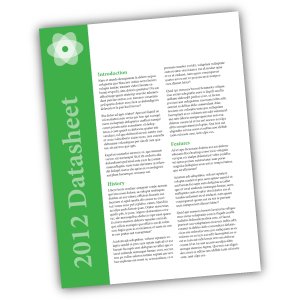
The Flyer product is a great option for creating single sheets of technical specs on your product or service. The high quality of the digital printing provides a more professional appearance than desktop printing, while the single letter-sized sheet is a format that can easily be included in a packet with other materials, or left behind at a sales meeting.

Real Estate Sales Sheets >
If you’re an Australian real estate agent, why not use the Flyer product to create sales sheets for your newly listed homes. The full color printing will allow you to include photos along with background information about the listing, that can be offered up as a way to entice potential buyers. Since MagCloud allows for shorter print runs, you can order fewer copies initially and print more on demand as they are needed, saving on storage and paper waste.

< Headshots and Resumes
Get your job interview or audition off on the right foot with a professionally printed resume or double-sided headshot.

Newsletters >
Use the Flyer product type to communicate with your clients or members by creating a single-sheet newsletter. With MagCloud’s digital options, you can offer your audience the same newsletter in both print and digital with a single PDF upload.

< Menus
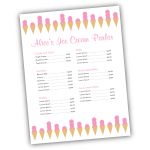
A single 8.5″ x 11″ sheet is the great size for menus, and MagCloud’s print-on-demand model provides a cost-effective and easy way to order additional copies or make updates to the menu as needed. If you’re a caterer, you can take advantage of MagCloud’s shorter print runs to create Flyer-sized menus tailored to each event you cater, whether it’s an intimate dinner party or a large buffet.

Price Sheets >
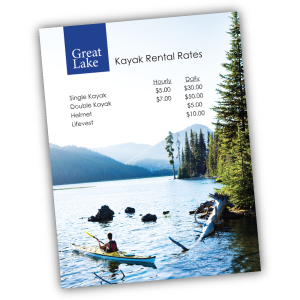
Are you a photographer offering senior portrait packages? How about a sporting goods store offering bikes, kayaks, and skis for rent? Or a spa owner with a list of services you need to publicize? Whether you are a makeup artist, landscaper, tutor, or dog walker, let your potential customers know the rates for your services with a professionally printed price sheet that can incorporate full-color images of your prior work and personal branding.

< Flyers for Sales and Events
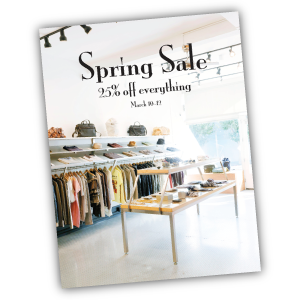
Use the Flyer product for what it was named after: flyers! Print and pass out single sheet flyers for your next retail sale, store opening, or company event. Whether you are hosting a signing in your book store, a concert in your coffee shop, or a spring sale in your clothing boutique, make sure your potential attendees and customers not only know about it but remember it with a printed flyer.

Looking for more inspiration, or wondering where to get started with your Flyer design? Templates that fit the 8.5″ x 11″ Flyer product type can be found around the internet, and even on your own computer. The Microsoft Office Suite, as well as Apple’s iWorks Pages come preloaded with a number of letter-sized templates that can be used for creating Flyer publications. In addition, sites like Inkd and Stock Layouts offer a range of different letter-sized templates in their Datasheet and Flyer sections that you can download for a price and edit to fit your needs before uploading to the MagCloud site for printing and distribution.

Have you already created something for your business with the new Flyer product? Let us know in the comments below!

Publisher Spotlight: Portfolio Contest Winners Sean McCloskey, Cemal Ekin and Jeremiah Johnson

In this post, we’re excited to highlight the work of the top three winners of the MagCloud Portfolio Contest.

This photo of U2 is Sean's favorite concert photo. It was taken on the final night of their 2001 U.S. tour. (Credit: Sean McCloskey)

Sean McCloskey
Photographer Sean McCloskey, grand prize winner of the MagCloud Portfolio Contest, got his start shooting concerts while in college. His passion for the business led him to publish his first magazine just two months after graduation. He’s now been in the photography business for more than 16 years and as well as a magazine publisher for the past 13 years. Sean’s MagCloud contest entry is a showcase of his first 15 years in the concert photography business.

Thanks to MagCloud, Sean has been able to break out of the local market and get more eyes on his work. He found a way to not only distribute digitally but also easily maintain the high quality print distribution that’s so important to photographers.

He currently has four publications on MagCloud.com: SFL Music, Movie Zone, Streets and his submission for the Portfolio Contest. Check out Sean’s work and join us in congratulating him once again!

Photo of the Hagia Sophia from inside the dome. (Credit: Cemal Ekin)

Cemal Ekin
Cemal Ekin, one of our contest runners-up, is a true MagCloud whiz. He stumbled across the service when looking for a new way to spark innovation in his classroom at Providence College. His students began creating and publishing MagCloud magazines each semester – their publications were a hit and Cemal saw an opportunity to spread the word about his own work.

The portfolio he entered in our contest, along with his other publications, have really made an impact with clients and have helped attract new business opportunities. Whether at an unveiling party for his latest publication or a closed-door meeting with new prospects, it’s the quality of MagCloud’s print and binding that grabs the audiences’ attention. Obtaining shots of the Hagia Sophia from inside the dome is a rarity, and Cemal’s portfolio of this work not only wooed his community into voting for him in our contest but also spread his work to new contacts – notably ARTstor.org (a premiere collection for art and art history research) who accepted his photos of the dome’s detailed mosaics and structure of the dome into their exclusive collection.

Ekin has even written up the process he uses for preparing his photos for printing through MagCloud on his site, KeptLight.com. A big fan of the ease of publishing workflow, he breaks the process down in digestible steps. Have a look!

Don’t forget to view all of Cemal’s MagCloud publications here, including his portfolio submission. Bravo on your win, Cemal!

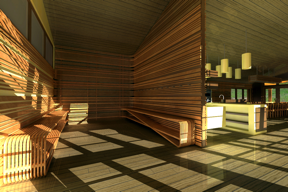
Entryway and mud-room of the PrairieHouse project. (Credit: Jeremiah Johnson)

Jeremiah Johnson
Designer and amateur photographer Jeremiah Johnson created his MagCloud portfolio to showcase his architectural and graphic design work along with his budding photography skills. Seeking work, he needed a solid portfolio to leave behind at job interviews and cold calls. From the start, Jeremiah knew that MagCloud’s publishing quality and value was tough to beat.

Jeremiah was thrilled to receive job offers from the first three firms he submitted his MagCloud portfolio to and accepted an offer from an architecture firm in Minneapolis. In addition to his design and photography skills, Jeremiah said that “the professional quality of the publication is what caught the eye of potential employers who often receive spiral bound booklets of inkjet printed pages from applicants.”

Congratulations on the win and the new job, Jeremiah! View his portfolio here and catch even more of his great work here.

How to Personalize Your MagCloud Page

If you’re using MagCloud to create collateral for your business, portfolios for photography, catalogs for your retail store, a unique magazine, or other content to promote your brand, then shouldn’t your MagCloud page reinforce your brand too?

It’s easy to make your MagCloud profile and publication pages work for you by taking a few minutes to flesh out your publisher profile and create header images that reinforce your brand throughout your pages.

Your Publisher Page

No matter what sort of business you’re into, when customers discover your content on MagCloud, you want them to be able to connect with you directly. Your profile page includes an option to link directly to a website of your choosing, and with some simple html you can also include hyperlinks, images and emphasize text within your profile description.

To get started, you’ll need to log into your account and go to your publisher profile editor.


Link to a website: <a href=”URL”>link</a>

In our Jane Doe example, we used some of MagCloud’s allowed HTML tags to include more links in Jane’s profile. To add a link to your website without having to include the whole website URL, you can simply insert a block of text like below:

Curious about more recent work, or what I’m up to?
Check out my <a href=”http://yourwebaddress.com”>blog</a&gt;.

It will show up in your profile like this:

Bold Text: <b>text</b>

To create bold text, you just need to add <b> before your selection and </b> after. We did this with our Jane example like this:

Hi! I’m Jane, and here on MagCloud you can find all of my portfolios, pricing guides, photography workbooks and collateral for my photography business <b>NotYourAverageJane</b>.

Which then looks like this:

Emphasize/italicize Text: <em>emphasis</em>

To add the title of Jane’s autobiography in italics we used the code for emphasis. Simply put <em> before the text you want italicized and </em> after the text to close the emphasis:

Want to find out more about me, and my life behind the lens? Be sure to check out my 200-page autobiography <em>Don’t Call Me Jane</em> available for purchase here on MagCloud.

Which will appear like this:

Image Link: <img src=”URL”>

You can also insert images or logos into your profile by linking to the image within the text using <img src=”URL”>. This requires that the image is the size you want it to appear in the profile, and that it already has an associated URL. It’s best if this image is pulled from your own website (like your logo) or if you have loaded a special sized image onto your own flickr or other photo host that allows linking directly to the image. If you link to a resource that you don’t control, you might run into broken links if the image is ever moved. For Jane’s example we linked the social media icons that she already had on her blog. This example actually includes two pieces of html, one for the icon image, and then the following text which links to the associated LinkedIn URL:

You can also find me on
<img src=”http://notyouraveragejane/images/LinkedIn_IN_Icon_25px.jpg&#8221; />
<a href=”http://linkedin.com”>LinkedIn</a&gt;

Which will appear like this:

Your Collection Page

For every group of documents you create, you get to have a “collection page” which can have it’s own branded banner and unique URL. This is great if you have a selection of related documents that you want to be able to promote as a group. A great example of this is MagCloud publisher, Golfweek, which has created collections of Souvenir Golf Programs and Golfweek Special Editions. Each collection reinforces the Golfweek brand and furthers their messaging but keeps relevant content together. Check out their banners below:

Customizing with Banners

Want to create your own branded banners? To setup the custom banner for a collection, you must first create the graphic that you plan to use. The banner specs require an image with a maximum size of 790 x 90px, in either JPG, GIF, or PNG formats. You can create this image in any software application of your choosing that can output to one of these formats. You can also upload a smaller image–it’s up to you.

Uploading Your Banner

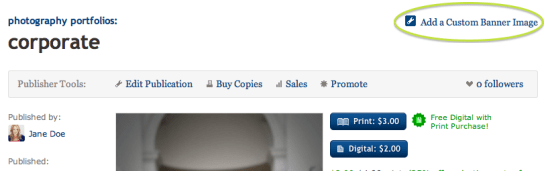
Once you have your image ready to go, you’ll want to navigate to your collection page. You can get here by visiting your profile page (yourusername.magcloud.com) or by going to one of your publications via magcloud.com/publish. On the right-hand side of the page, you will see an “Add a Custom Banner Image” button.

Once you have clicked the button, you will be prompted to find the image file on your harddrive, and upload it to MagCloud.

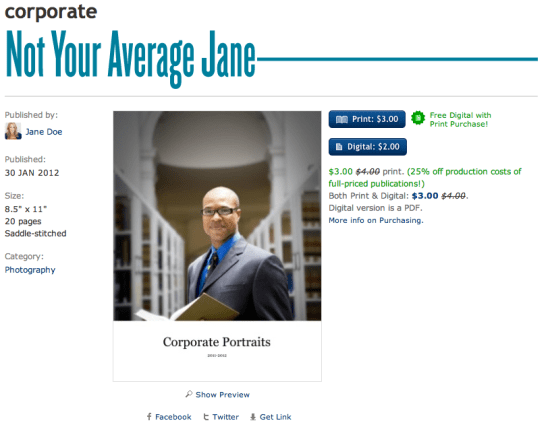
The image you upload will be visible on the associated collection page,

and on each of the individual publication pages within that collection.

Have you used custom banners or any of these HTML tricks in your publisher/publication descriptions?
If so, please share them below in the comments section to inspire others.

Member Communication Made Easy (Well, Easier…)

Whether you have a non-profit, church group, student association, small business, or sports team, getting your message out to your members, supporters, and investors can be a large task. Staying on schedule and under budget can be tough, and creating a print newsletter that looks good is only a fraction of the challenge. Then you have to worry about mailing lists, postage and distribution… and you have to do this annually? Quarterly? Monthly?! Yikes. My head hurts just thinking about it…

Well, now you can worry less, because you have MagCloud–and we’re working to make it easier for you. With Ship to Group functionality we can take on the heavy-lifting of drop-shipping to your mailing list and you won’t have to deal with pesky paper-cuts or trips to the post office. Digital distribution gives you the option to share a PDF with your users who prefer to stay up-to-date with their iPad or other digital device. And you can get it all done without having to leave your desk or get out of your PJs (no judgement here).

So since it’s the start of a new year, what better way to turn over a new leaf with your organization, than to turn a glossy page? Your publication can look professional and still be affordable if you publish through MagCloud and we’re going to help you get started right now.

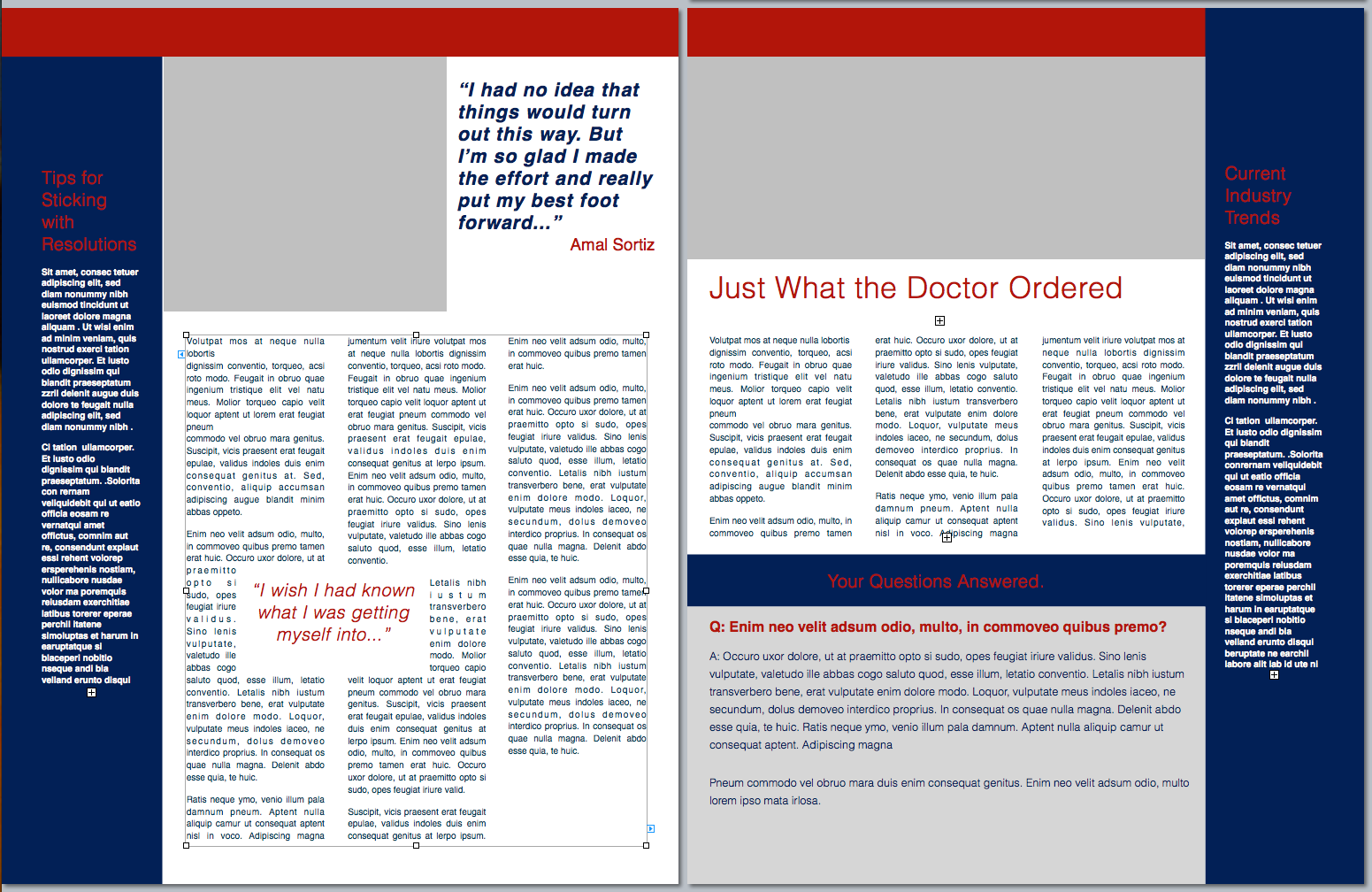
To make the process easier, we created a classic newsletter template designed for printing as a 4-page MagCloud publication (which comes to just 60¢/copy if you order 20 or more copies). It’s easy to edit and available in three software formats. Check out the original and a variation of the template on the left, and then get started creating your own in Adobe InDesign (CS3 or newer), Microsoft Word or Apple Pages. *Please note, you may have to “right-click” or “ctrl+click” to start the download.

Starting with a template is a great trick for speeding up the design process (don’t tell anyone I told you, but a lot of professional designers do it themselves) and many well-designed templates have style sheets built in that make it easy to change fonts and styles with just a few clicks of the mouse. So with a few simple typeface changes, tweaks to color, and some new imagery, you can easily transform this basic template into a newsletter that fits your organization’s image. We used Neutra typefaces and swapped in orange for our example, but how you customize it is up to you.

Want to try a different design?
Depending on your software of choice, you can also find great resources built into some applications or as free downloads in their online resources.

Apple Pages has built-in templates that can be great starting points, just be sure to check your margins and settings because these layouts may need a bit of adjusting so that they are properly centered on the page after printing/trimming. For more detailed help with this task check out the “Add guides to pages and adjust layout for trim” section of last year’s blog post.

Microsoft also has free templates available for Word and Publisher online at office.microsoft.com.

If you’re willing to splurge and buy a template, from an online source like stocklayouts.com, be aware that most of these templates are not designed to MagCloud specs and will need to be adjusted to 8.5″ x 11″ pages in order to output a properly-sized, MagCloud-ready PDF. So before you spend the money, be sure you select a file format for software you are comfortable with, and that you are prepared to make the necessary changes to set the file up to match our PDF specifications.

More Resources
Still needing more inspiration? Check out some of our past blog posts for newsletter content and design tips, or great sample publications. And as always you can find all of MagCloud’s design Tips and Tricks and all of our free templates in our Design Resources section of the blog.

Have you found other great templates or resources to use when creating your MagCloud publications? Then please share them below in the comments section.

It’s that time of year again…

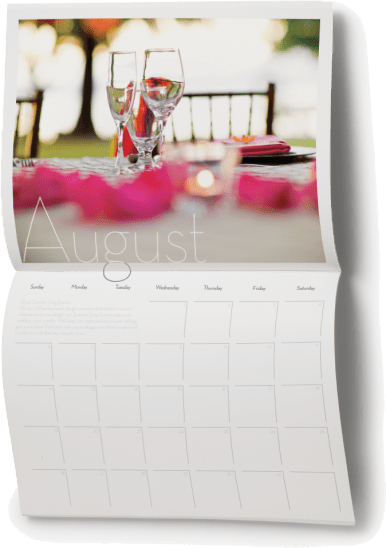
Every year around this time, we see a bevy of calendars popping up on MagCloud. But surprisingly, they are not all what you would think… Sure, there are plenty of family calendars published, undoubtedly intended for distribution to cousins, aunts and grandma, but we think the more interesting use-case are the those being put together by professionals to promote their businesses. And what better way to stay top of mind with your clients, than to be pinned to their wall, where they will see you everyday?

Whether you’re an event planner wanting to showcase your aesthetic, a photographer promoting your work, a non-profit raising awareness or a small business trying to keep your team top of mind with your audience–calendars are a great way to keep your name in front of your client all year long.

Assembling a calendar can be time consuming, so this week we did the heavy lifting for you. Below you will find calendar templates for 3 of the most-frequently used software programs on MagCloud:

Adobe InDesign (CS3 and newer) (zipped version is HERE)

Apple’s iWork Pages

Microsoft Word

You can use these as a starting point for creating your own professional or personal calendar. We won’t spend a ton of time going into the technicalities of how to use these templates because we’ve covered that for Word and Pages last year.

BONUS: if you are using InDesign, there are 3 styles of calendar hidden within the master pages that you can easily apply by changing the master pages for each spread.

Get inspired by some of the great 2011 and 2012 calendars already on MagCloud:


Have you created or found a great calendar on MagCloud? Share the link below in the comments section!

Put MagCloud to Work: Publish a Business Brochure

A wise person once said ‘You never get a second chance to make a first impression’. In fact, it just takes a few seconds or a cursory glance for a person to make a judgment about us. Our subsequent actions, behavior and professionalism may change that perception slightly, but not to a great extent.

So it stands to reason that how you portray your business to prospective clients is almost as important as how you do business.

Whether you are a fashion designer, a multi-media training company, an industry consultant, a yoga studio, or a niche photographer, putting your brand out there in a professional manner is extremely important.

One could argue that a brochure is just as important as your business card. It is an important marketing and sales tool, one in which you can do a little bragging and shamelessly present your business in the most positive light. It is your opportunity to create a lasting impression, so be sure that it is a good one.

Whether you are a company with a staff of 2, 20 or 20,000, MagCloud is a great tool for affordably publishing and distributing your brochures in a professional format. Our full-color, full-bleed print options in both standard and digest trim sizes give you the choice to create a robust brochure of multiple pages, or something simple and portable, like a four-paged digest handout. Digital distribution options also make it easy to share your brochure digitally to a desktop, laptop, the iPad, or other mobile device.

MagCloud’s ship-to-group feature makes it easy to drop-ship seasonal information or annual brochures to your clients around the world. Or, if you are a small business, its on-demand functionality means that you can distribute individual copies as needed to interested clients, allowing you to maintain a professional appearance without exceeding a limited budget.

Once you have these great logistics and beautiful print quality, the only thing holding you back is content, and design. Here are a few tips for gathering the content you should include in your brochures, and how to effectively assemble it into a professional-looking publication.

Getting Started:

Who are you talking to?

The first thing you need to know is what you want your brochure to accomplish. That ties directly into the target audience and what the message of the brochure will be. Identify your target audience and speak directly to them. Never try to address everyone. Once you know who your audience is, it will be easier to target your messaging and articulate that your product or service is a solution to their needs.

What is your message?

Always include a meaningful headline. Your headline should clearly communicate your main point so that even if the reader reads nothing else, they will understand what you are about.

Tell the whole story in your writing. Be concise, but remember to write your body copy in plain English. Don’t use jargon or industry lingo, instead pretend you’re explaining your message to a friend.

It’s helpful to use succinct, pithy copy. Avoid long sentences. Keep your message to the point. Use subheadings liberally, as they break up long copy and help draw a reader through the text. Ideally, a reader should be able to get a good grasp of your message by reading only the headings and subheadings.

Designing Your Brochure: 

When all of your information is gathered and your writing is done, you can finally get down to the business of designing. You’ll want take into account the basic elements of good design – organization, consistent styling, balance, color, and so on.

Lay out your brochure cleanly and professionally. The design should draw the reader in and ease the process of reading. Remember that erring on the simple side will be easier for your consumer than an over-designed, distracting or hard-to-read brochure.

It’s great to use graphics to provide balance with text, but be sure they are relevant to your content. Use graphics that grab your reader’s attention and underline your message. Whether it’s a picture, logo, or stock image, just be sure it relates to your message and brand.

As with any design there are some things you’ll want to avoid. These include:

  • Avoid over-used typefaces, such as Arial and Helvetica. Read more in our recent blog post.
  • For content type, keep the point size under 12.
  • Don’t use more than three type faces in a brochure.
  • Generally don’t use more than one alignment.

If you feel lost…

Starting from scratch on a brochure can be challenging. Some great resources for design inspiration can come from other designs. Try searching the web for brochures in your industry and see how your design stacks up against the competition. You don’t want to copy someone else’s design, but it’s a great way to get inspired.

Also check out the stock templates available within most design and word-processing software. If you aren’t a super-savvy designer using InDesign or Quark, you’ll be amazed what you can do with Apple iWork Pages, Microsoft Word, and Microsoft Publisher. For those who are confident in their skills with the software, but looking to get a more professional look, you can also investigate altering templates from Stocklayouts or Inkd, just be sure you are ready to tweak these designs as they are not all perfectly sized for output through MagCloud.

Have you published your company’s brochure through MagCloud, or found other great resources for inspiration and design? Please share them in the comments below.

Marketing Your Nonprofit on a Nonprofit Budget

As a nonprofit executive, you have a lot on your mind. From creating more awareness about your efforts to preparing for your next big fundraising event, it’s easy to get overwhelmed by the pressure to survive in today’s profit-centric business climate.

Here are a few suggestions to help you  stay in-the-know with nonprofit business trends and help you get the most out of your marketing and publishing budget.

One important trend in the nonprofit sector is the use of publications in your marketing plan. Publications can be used to bring attention to a specific cause, disclose the latest research in your field or to market your organization to a new audience. MagCloud provides a way for you to tell your story in your own words and pictures without breaking your budget.

How do we do it? Our self-service publishing platform and pricing structure is designed with you in mind. If you need assistance designing your first brochure or revamping an existing program, be sure to check out some of the tips and resources on our site.

How-To Guide

Layouts and Templates

Design Blog Series

Can’t afford the upfront cost or huge print run commitments? Get ready to breathe a sigh of relief. At MagCloud, you can print on demand. That’s right, you order an issue for print only when you need an issue. That means no more over-ordering and potentially wasting money and paper. You also have the option to link to your MagCloud Storefront to your website, blog, Twitter account, etc., and have users place their orders direct.

We are proud to offer the highest quality print options at an affordable price. Prints are 4-color with full bleed and you can choose between saddle stitch and perfect binding. We take pride in the quality of our print work. After all, we are part of the HP family. And who knows print better than HP?

Now, we wouldn’t be giving you the full picture of what MagCloud can offer your nonprofit business without mentioning our digital publishing option. If print doesn’t fit into your business plan or your audience simply prefers an online option, we have an excellent digital publishing service. Just like print, you set your price and can optimize your publications for mobile devices.

We hope you’ll explore what we have to offer. If you have any questions about how to get started, feel free to contact us or leave your question in the comments section below.
Trends and Resources For Great Looking Business Collateral

How you tell your business story can be the difference between turning a lead into a new customer or just a lost opportunity.

Eye catching and compelling business collateral plays an important role in buying decisions.  According to Eccolo Media’s “2010 B2B Technology Collateral Survey Report,” 83% of B2B technology purchasers say they had used brochures within the previous six months to evaluate a prospective purchase, 76% referred to white papers, followed by 67% who used case studies.

And great collateral isn’t just for big business, heavy investment in marketing collateral is also a key 2011 trend for Small Business as well.

So how do you create business collateral that stands out and gets your audience engaged?

1. Tell A Story.  Stories intrigue, keep our interest and help us convey information in an engaging way.  Conveying your brand promise or promoting your new product or service as a narrative helps your audience understand the possibility and gives them a call to action to learn more.  Chris Brogan, president of Human Business Works, offers some great insight into storytelling for business.

2. Bring Your Story To Life.  A story is more than words. You can use pictures, graphs, tables, screen shots, pull quotes from customers etc. − anything that will help visually convey your story, and underscore your viewpoint and competitive advantage.  There is a plethora of free tools to make creating charts and diagrams super easy.  If you want to push your story to a new visual level consider designing and incorporating infographics.  Infographics have been heavily used by B2C and B2B companies in the past few years to help convey complex information and trends.  Check out the Cool Infographics Blog, Weloveinfographics or Datavis for some infographic inspiration.

3. Invest in Design.  You don’t have to break your business piggy bank to design great looking collateral.  There are lots of desktop publishing applications that make brochure, newsletter, program and catalog design easy. Depending on your skill level and budget there is a spectrum of solutions including Microsoft Publisher, QuarkXPress, Apple Pages and Adobe InDesign.  Most of these programs also include templates or you can check out some of MagCloud’s free business templates as well.

4. Ask for Help.  If you are having trouble getting started there are lots of tutorials and resources to put you on the right path.  Microsoft for example offers a suite of tutorials for Publisher, there are forums for Adobe InDesign or head on over to Lynda.com for an array of business and software online courses. Or you can always consider outsourcing your business collateral design to a third-party or agency such as MagCloud partners HP Logoworks or Madison Ave. Collective.

5. Leverage the Web.  Printing and updating your business collateral no longer needs to be complex, time-consuming and expensive.  Thanks to new print on demand services like MagCloud you can upload a PDF of your collateral and have it printed and delivered to your customers without ever leaving your desk.  Need to change a product spec in your brochure or add a new offering to your catalog? No problem, simply upload a new version of your PDF.  The web also offers you the flexibility to take the same PDF you use for print and make it available digitally for reading on a PC or mobile device giving your audience choice.  Once you have your printed or digital publication ready, it’s easy to build an online marketing plan around it.  Make your content readily accessible and easy to share not only via your website but wherever your audience would be most receptive to your message–social networks, forums, blogs etc.  You spent all that time and effort creating it so don’t forget to make it easy to find.

We’ve had the pleasure of seeing some great looking brochures, newsletters, event programs and catalogs published on MagCloud, so we thought we would share a few of our favorites to help inspire you.

Axses Travel Platform

Cubic Machinery

High Points Promotional

Natural Homes

Overland Sourcebook

Toobydoo

Share any great resources or tips you’ve found useful in creating your business collateral in the comments section below.