When it Comes to Catalogs, Content is King

Over the past few weeks, we’ve shared tips and templates to help design your catalog for MagCloud. Today we discuss catalog content, and a few best practices to keep in mind when selecting your content.

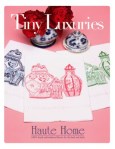
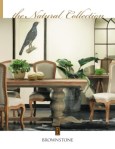
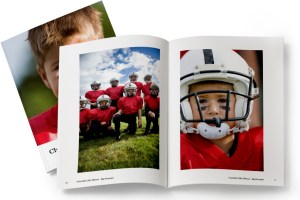
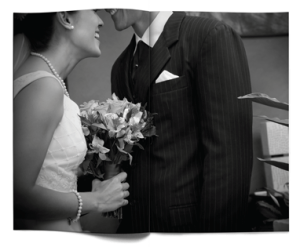
First up, images. As they say, a picture is worth a thousand words, and you want the images you select for your catalog to speak highly of your products and services. Therefore, make sure you select high quality images for your publication (we recommend 300 dpi for printed publications), and that each image highlights the product or service you’re hoping to sell. Mixing up stand-alone product images with lifestyle imagery is a great way to offer more visual interest for the reader, just be sure that the products remain the focus regardless of the image style you select.

And where are images more prominent than on your catalog cover.  Catalog covers are critical in quickly grabbing your customer’s attention and getting them to open your publication.  MultiChannel Merchant recently published a great article discussing the key strategies in designing an effective catalog cover, which include relevance, emotion, drama and differentiaton.

Next, let’s talk about text. If you look at a lot of mainstream catalogs, you’ll notice that text is used only for detailed descriptions of the products and services being featured, but also as brief call out quotes and titles. Using text features like this help attract the reader’s attention and interest, and can be a great way to encourage the reader to linger over your catalog longer. It’s also a great opportunity to call out more marketable features of the products and services you are hoping to sell.

Similarly, smaller paragraphs of text are great for providing descriptions of your products and services, just be sure you don’t overwhelm your reader with too much text. You will want to include enough text to get your point across, but not so much that your customer loses interest halfway though.

Finally, just as important as the text and image content is how it is arranged. Since catalogs are complex by nature, it’s important to keep your content organized and clean. Having a table of contents and creating sections in your catalog can be a great way to break up a large amount of content. Also, as we’ve discussed before, using white space to break up your content is a great way to keep the focus on the products and services you’re hoping to highlight.

If you’re looking for more ideas and inspiration, check out Slodive’s 25 Best Catalog Design Inspirations.

Have any other tips to share from your own catalog creation experience? Share them in the comments below!

5 Catalog Design Essentials for Your Business

If you have a small business with a large product or service offering, odds are you have a catalog, and if you don’t, then you’ve probably wanted to create one, but didn’t know where to start. The process can be daunting–with so many elements to pull together and all sorts of design options to consider. So to help you get started, we’ve made a list of 5 tips to keep your efforts and design on track.

1. Know Your Audience

When choosing a design for your catalog, keep in mind your audience and appeal to their style, interests and demographics. Creating a sense of lifestyle will help you connect with customers and position your product as an object of their desire.

2. Reflect Your Brand

Keep your catalog style consistent with your brand style. You want to be sure they can make a connection between your website, logo, and service/products and your catalogs. Whatever you do, design with your brand in mind and be sure the voice and design of the catalog matches the voice and design of your brand. Once you have established a successful look-and-feel for your catalog, resist the temptation to change it. Repetition builds brand recognition, favorable reception and sales.

3. Use Quality Photography

All images should be of the highest quality possible. Make sure your pictures are clear and vivid, not pixilated. Poor quality images will send the message that the products are low quality. If you can’t afford to hire a professional photographer, read up on blogs and forums for great tricks for taking your own product photos. Also try to mix up the type of shot. Catalogs benefit from pacing and surprise – simple silhouetted images, closeups of details, wide angles, full-bleed photographs and lifestyle shots sustain viewer interest and keep them turning to the next page.

4. Space and Layout

The most important thing about a catalog is highlighting your product, so be sure you have ample white space for each item. Cramming text and images into a page, or using the exact same layout throughout the document will make it look stale and won’t encourage your customers to really pause and look over the whole spread. A consistent layout throughout the catalog enhances readability but can become boring, so be sure to break up the monotony of a predictable layout by including a unique page or two to highlight a favorite product or create an editorial opportunity for your customer to connect with the product.

5. Use fonts and color wisely

Be sure to use fonts that fit your brand’s style. If you have a children’s apparel brand, your typeface selections will be very different than if you have a luxury spa brand. Do not go overboard with typefaces, it’s probably best to limit your selection to just three. You can read more about this in our recent typography blog post.

Start Planning and Then Start Publishing

There aren’t any hard and fast rules for creating your catalog, just remember to keep it simple so that your product attracts more attention than your design. After all, the objective is to sell more, right?

A good starting point is to jott down words that come to mind when describing your brand: Is it whimsical? Sophisticated? Luxurious? Fun? These words will make the perfect litmus test as you assemble your catalog. Then every step along the way you can ask yourself, is this publication reflecting this image?

Now that you are ready to get started, take a look at some of the great examples of catalogs on MagCloud. We hope they will help inspire you. Already published a catalog with MagCloud? Share it below in the comments!


Attract an Audience to Your Event with Great Content

Whether you are planning a large conference, an intimate meeting for VIP customers, a quarterly gathering for club members, or an annual fundraising event, content plays a pivotal role in attracting and pleasing attendees.

Compelling speakers are the most important factor in attracting attendees to your event.  Finding speakers who are relevant, experienced and have a unique story to tell will not only drive attendees to your event, but keep them talking about it well after the event is over. You should even consider soliciting potential attendee feedback in the process of selecting keynote speakers, panelists and meeting topics.  A great example of this is the South by Southwest Panel Picker, which allows their community to vote on proposals for various speakers and panel topics, thus engaging their audience in the actual content programming of the event.

Networking is more than a handshake. Besides great speakers the other reason people attend events is to network.  As an event organizer you can help your attendees get the most out of the event by making networking easier before, during and after your event.  Use the existing social networks to get attendees talking prior to an event—event Facebook Pages or Groups, Twitter Hashtags, LinkedIn Groups etc.  Consider hosting Birds-of-a-Feather sessions or lunches where attendees can gather to informally discuss topics of mutual interest.

Attention grabbing materials.  Print and digital materials you use to promote your event—brochures, flyers, newsletters; and inform attendees while at your event—programs, daily papers, agendas etc. are an important factor in audience engagement. Events like music festivals, sporting events and business conferences are complemented well by programs that can serve as both a guide to attendees as well as used for marketing material down the road. An event program is a great way to showcase the talent you’ve organized, share the purpose of your event, promote your sponsors and acknowledge those who deserve thanks.

Here are a few of our MagCloud favorites (from MagCloud publishers as well as others) to provide some inspiration:

    • Conference of Creative Entrepreneurs published the program for their August 2011 event in San Francisco. This program does a great job of posting the packed schedule along with speaker bios and ads for local businesses (It’s clear they put a priority on great design – a top MagCloud tip!)
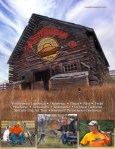
    • 2010 Albuquerque Balloon Fiesta – it’s not just about a one-week event in October. This program delves into the history of the annual Balloon Fiesta and gives details on each balloon flying at the event – it’s sort of like the “speaker bios” of the balloon festival world.
    • 2010 Justin Timberlake Shriners Hospitals for Children Open program has a clear focus on great photography especially the shots of the individual holes (pages 50-66) not to mention beautiful integrations with their sponsors. The ads are woven into the program and don’t feel forced or out of place.
    • SXSW 2012 Event Marketing brochure is chock full of impressive stats, engaging content and gorgeous design.
    • TED Fellows 2011 Booklet gives shout outs and thank yous up front along with a brief description of the program and of course a look at each TED Fellow and the work they are up to.
    • Guide to Davos dives into the topics at hand for the 2011 Davos Conference and gives the reader a feel for the tone and sheer importance of the event. Layout is unique and could work well for an event that requires articles in their program to communicate its story.

And if you are ready to get started on materials for your next event and need a little help check out our collection of free event program and brochure templates:

Have you taken a unique approach to selecting speakers, creating networking opportunities or created killer event materials? If so please feel free to share those ideas in the comments section and tell us what kind of feedback you received from event attendees and partners.


Brochures that Engage and Inform

MagClouders are creating some truly attention-worthy brochures for their businesses…and it’s reaping rewards for their bottom-line. For example:

Wendy Whittemore’s Aerial Innovations Brochure mixes striking images with an eye-catching layout.

 Stanley Harmsen van der Vliet’s AML Training Center Brochure presents a lot of copy in a clean, easily-digestible format that somehow manages to offer plenty of white space and images to break up the content.

Ben Gin’s IADLEST Conference Brochure fills up every space with the retro look and feel of the conference location: Opryland in Nashville, TN.

These folks and others are creating amazing marketing pieces with MagCloud! If you’re working on a brochure project, we highly recommend you check out the work already published on MagCloud.com for inspiration.

A great brochure grabs the reader’s attention with eye catching images, great layout and of course compelling content. Here a few design and content things to keep in mind when developing your next business or event brochure.

Include stunning images, but make sure they speak to the purpose of the brochure

Maximize the white space – find a way to tell your story in fewer words and with smaller images. No one wants to read a brochure that fills every nook and cranny – it’s not very attractive to a reader.

Design within a real-life context. If your brochure is for an upcoming Harvest Festival, don’t forget to give a little nod to the season with a few Fall leaves. (Be careful, too much of a good thing is no good either – don’t go overboard).

Assume this is the first time the reader is hearing about your organization. Prominently feature the most important piece of information you want people to take away after reading the piece (product sale, mission statement, event date/location, etc.).

This is also your chance to clearly define your brand with a logo, tagline and color scheme that complement your other brand assets. In other words, make sure your brochure is consistent in design and tone with your company website, social media profiles and other printed materials.

Use persuasive language that focuses on the key differentiating factors of your product, company or event from the competition. You’re offering something unique—here’s your chance to tell the world!

Don’t forget the call to action – tell the reader what you want them to do when they’re done reading the brochure (call this number, visit a website, register online, etc.)

Bring in visuals. We’ve written about this in a previous post and recommend you take a look at our Trends and Resources for Great Looking Business Collateral for a refresher. In short, bring in images, infographics or quotes to highlight that will bring your story to life.

Be concise! Don’t try and tell your whole story within a brochure. Just remember, would YOU want to read a long brochure?

Let us know if you have any other tips for creating brochures. Or, post a link to a great brochure that inspires you in the comments section below.

New Brochure Template for Adobe InDesign

Need a little help getting started creating your next brochure?  We have added a new brochure template to our free template collection.

This four page template is for Adobe InDesign users and is perfect for product or service brochures.  We’ve created a sample publication using this template to show you how easy it is to make a great looking brochure that is MagCloud-ready.

If you are new to using Adobe InDesign to create MagCloud-ready publications make sure to download our Adobe InDesign Getting Started Guide for tips on settings for trim, bleeds, image resolution and more.

Let us know what you think of the new template in our comments section below.

Put MagCloud to Work: Publish a Business Brochure

A wise person once said ‘You never get a second chance to make a first impression’. In fact, it just takes a few seconds or a cursory glance for a person to make a judgment about us. Our subsequent actions, behavior and professionalism may change that perception slightly, but not to a great extent.

So it stands to reason that how you portray your business to prospective clients is almost as important as how you do business.

Whether you are a fashion designer, a multi-media training company, an industry consultant, a yoga studio, or a niche photographer, putting your brand out there in a professional manner is extremely important.

One could argue that a brochure is just as important as your business card. It is an important marketing and sales tool, one in which you can do a little bragging and shamelessly present your business in the most positive light. It is your opportunity to create a lasting impression, so be sure that it is a good one.

Whether you are a company with a staff of 2, 20 or 20,000, MagCloud is a great tool for affordably publishing and distributing your brochures in a professional format. Our full-color, full-bleed print options in both standard and digest trim sizes give you the choice to create a robust brochure of multiple pages, or something simple and portable, like a four-paged digest handout. Digital distribution options also make it easy to share your brochure digitally to a desktop, laptop, the iPad, or other mobile device.

MagCloud’s ship-to-group feature makes it easy to drop-ship seasonal information or annual brochures to your clients around the world. Or, if you are a small business, its on-demand functionality means that you can distribute individual copies as needed to interested clients, allowing you to maintain a professional appearance without exceeding a limited budget.

Once you have these great logistics and beautiful print quality, the only thing holding you back is content, and design. Here are a few tips for gathering the content you should include in your brochures, and how to effectively assemble it into a professional-looking publication.

Getting Started:

Who are you talking to?

The first thing you need to know is what you want your brochure to accomplish. That ties directly into the target audience and what the message of the brochure will be. Identify your target audience and speak directly to them. Never try to address everyone. Once you know who your audience is, it will be easier to target your messaging and articulate that your product or service is a solution to their needs.

What is your message?

Always include a meaningful headline. Your headline should clearly communicate your main point so that even if the reader reads nothing else, they will understand what you are about.

Tell the whole story in your writing. Be concise, but remember to write your body copy in plain English. Don’t use jargon or industry lingo, instead pretend you’re explaining your message to a friend.

It’s helpful to use succinct, pithy copy. Avoid long sentences. Keep your message to the point. Use subheadings liberally, as they break up long copy and help draw a reader through the text. Ideally, a reader should be able to get a good grasp of your message by reading only the headings and subheadings.

Designing Your Brochure: 

When all of your information is gathered and your writing is done, you can finally get down to the business of designing. You’ll want take into account the basic elements of good design – organization, consistent styling, balance, color, and so on.

Lay out your brochure cleanly and professionally. The design should draw the reader in and ease the process of reading. Remember that erring on the simple side will be easier for your consumer than an over-designed, distracting or hard-to-read brochure.

It’s great to use graphics to provide balance with text, but be sure they are relevant to your content. Use graphics that grab your reader’s attention and underline your message. Whether it’s a picture, logo, or stock image, just be sure it relates to your message and brand.

As with any design there are some things you’ll want to avoid. These include:

  • Avoid over-used typefaces, such as Arial and Helvetica. Read more in our recent blog post.
  • For content type, keep the point size under 12.
  • Don’t use more than three type faces in a brochure.
  • Generally don’t use more than one alignment.

If you feel lost…

Starting from scratch on a brochure can be challenging. Some great resources for design inspiration can come from other designs. Try searching the web for brochures in your industry and see how your design stacks up against the competition. You don’t want to copy someone else’s design, but it’s a great way to get inspired.

Also check out the stock templates available within most design and word-processing software. If you aren’t a super-savvy designer using InDesign or Quark, you’ll be amazed what you can do with Apple iWork Pages, Microsoft Word, and Microsoft Publisher. For those who are confident in their skills with the software, but looking to get a more professional look, you can also investigate altering templates from Stocklayouts or Inkd, just be sure you are ready to tweak these designs as they are not all perfectly sized for output through MagCloud.

Have you published your company’s brochure through MagCloud, or found other great resources for inspiration and design? Please share them in the comments below.

Portfolios Made Simpler With Flickr

Have you wanted to create a print portfolio for your photography, artwork or business but don’t have the design skills or the right software to get the job done?
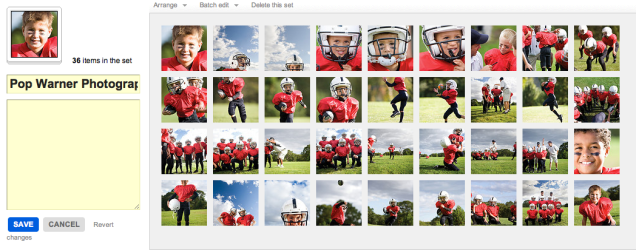

Here at MagCloud we are always looking to make things easier for you, which is why we offer the option to create a print publication using a Flickr photoset. It’s easy to use, and in just a few minutes MagCloud will take a set of your photos on Flickr and lay them out in a simple one-image-per-page template to create a tidy portfolio. What’s great is that it works almost instantly and is very easy to use, so if you need to get a collection off to a potential client immediately, or have procrastinated and need to get something together quick–then this is the tool for you. Follow along with my example below, and give it a try for yourself.

Here’s how it works:

1. Upload your images to Flickr and organize them in a photoset.
Be sure to put the images in the order you wish for them to show in the portfolio. This means your first image will be your cover image, and then the rest will follow. Since each image will be assigned to a page, you will want to have a number that is an increment of 4 (that means 4, 8, 12, 16… etc). My set in this example has 36 images, so it will be 36 pages long.

2. Edit the titles of your photos. (optional)
If you wish to include captions for your photos, such as credit information, location or other details, be sure to edit the titles of your photoset while in Flickr. You’ll have the option to include these titles at the bottom of each page of your final printed portfolio, so you could also use this space to include your contact information or copyright details.

3. Start the creation process at MagCloud.com/publish.
Once you are ready to publish, select the import from Flickr option on the Create Publication page. This will launch the importer, where you can select a photoset from your Flickr account.

4. Select your options and create your file.
The Title and Subtitle you enter here will appear on the cover of your publication. This is also where you can select whether you want to include photo titles and page numbers.

5. Preview your file and set binding options.
Take a quick look at your publication to confirm your settings. You can scroll through every page to see how your portfolio will look. Happy with it? Then select your binding options and publish!

6. You’re done!
See, now wasn’t that easy? Though this example is that of a children’s sports photographer, the Flickr Import could be used to make portfolios for your jewelry design business, fine art, architecture, decorating, crafts, or graphic design work. How you use it, is up to you.

A few tips and things to consider BEFORE you start your import:

What Image will be on my cover?
For simplicity, this should be the first image in your photoset.

What order do I want my images in?
The order that your images are in within your photoset, is the order they will appear in your MagCloud portfolio.

Which images will be facing on spreads?
If the first image in your set is the cover, then images 2 and 3 will be facing pages. It’s a good idea to go through your set to be sure that you like the arrangement of these photos (are people facing off the pages, or leaning against the outside edge of a page?) if so, you may want to swap around the order of your image.

Do I want to include captions or credits?
Because the title appears at the bottom of the page using this Flickr feature, you can also use this space for copyright information, or to include your contact information. In the examples below you can see how we accomplished this. To be sure every other page has the right information, just be sure to alternate the information in the titles of your images.

Is there any non-photographic content that I want to include like my contact information/ company logo?
To do this you have to get a bit tricky and create an image of the content and save it to flickr. You can use this trick to load verbiage into alternating pages, or if you want to include your company logo and contact information and logo on the back cover, this is a great work-around to do that. Simply create the image in any application that allows you to save an image (Flickr will let you upload JPEGs, non-animated GIFs, PNGs or TIFFs) and add it to your set.

What’s the maximum image size printed with the Flickr upload?
If you want to make sure your photo takes up as much of the page as possible, size it at 1875 by 2625 pixels at a minimum of 300 dots per inch resolution.

Are my images high enough resolution for printing?
The largest image size using the flickr uploader is 2475 by 2475 pixels on the covers and 1875 by 2625 pixels for interior images. For more information about photo quality and printing check out our blog post about getting the most out of your photos.

Can I have more than one photo on a page using the “Upload from Flickr” feature?
The “Upload from Flickr” feature currently only uses one photo per page. If you are adventurous, one way around this is to create a single image file (jpg, gif, png or tiff) that contains multiple photos and upload it as part of your Flickr set. Make sure the single image file is 1875 by 2625 pixels at a minimum of 300 dots per inch resolution. When your MagCloud publication is created, this file will be placed on a single page just like your other photos, creating the impression of multiple images on a single page like this example.

A Helping Hand

Need help creating or marketing your next publication?

Our Help section now includes a directory of templates, photography, design, advertising resources and more.  You can also find the the most popular design tips from our blog and latest How to Guides.

Still can’t find what you are looking for then visit the Ask MagCloud section to browse frequently asked questions about publishing, printing and shipping with MagCloud.

Our support team is also happy to answer any questions you can’t find answers for on our website.  Simply contact us so we can help you get the information you are looking for.

Know of a great resource that would help the MagCloud community?  Please drop us a line, we would love to hear about them.

Make a Big Impression in a Smaller Package

Continuing our series on publishing your portfolio through MagCloud, today we take a look at a few design ideas for using the new Digest product to present your work in a more compact format. Digest publications provide the same professional image quality and finishing you’ve always gotten with MagCloud, but with a trim size of 5.25″ wide by 8.25″ tall, they take up only about half the space in your bag. Plus with a cheaper price point (16 cents per page) you can stretch your budget a bit further, and get your work into the hands of even more potential customers.

The question is, how to design within this more constrained space and still highlight your work? To help you get started, we’ve listed a few ideas below…

Use Both Pages

Take full advantage of the available space with images of your work spanning both pages, and bleeding off the trim edges. If you are going to be opting for perfect binding and want to place your images across the spine, be sure to check out our tips for designing for perfect binding.

Highlight One Piece of Work Per Page

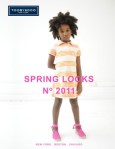
Place one image per page to create a kind of photobook. This format is particularly conducive to lookbooks for fashion collections, with each page containing one look.

Combine Images and Text Across a Spread

Make a photo of your work the focus of one page, either with a full bleed or as a contained image, and then include descriptive text on the opposing page. This way each spread focuses on one project, combining both imagery and text to tell the story of each piece of work.

Think Outside Portrait Orientation

Until we are able to offer a true landscape product, show off your work in a landscape format by rotating your content 90 degrees, such that the spine of the publication is on the top edge of the page. If you want to add some practically to your portfolio, and ensure it gets kept around for the coming year, use this rotated format to make a mini calendar, with each month highlighting a different piece of past work.

Create a Themed Booklet with a Segment of Your Work

When photographer Trey Hill learned about our new Digest format, he used it to combine a collection of his images into a photo story called Untouchable. These are images that are included as part of his larger 2010 Photography Annual, but the smaller form factor offers a more focused look at the story this series of photos tells. See for yourself how Trey has used this smaller format to tell his photo story: we’re taking 25% off the production costs on all print orders of Untouchable from now until the end of October.

Have you had a chance to experiment with our new Digest format to create your portfolio? Let us know in the comments what your design strategy has been.

Use MagCloud To Publish Your Portfolio

Today we begin a new blog series highlighting some of the great use cases we’ve seen people publish on MagCloud, along with design tips and inspiration to help you create your own publications. First up: portfolios.

On MagCloud we’ve seen portfolios that run the gamut from photography to fashion, architecture to interior design, music to floral arranging. With both print and digital options, uploading your portfolio to MagCloud is an easy way to spread the word about your work across a variety of mediums. With one PDF upload, you can have professionally printed books that you can send ahead or leave behind, as well as downloadable PDFs that can be displayed on any mobile device or computer.

When designing your portfolio PDF for MagCloud, a good starting point are the downloadable instruction packets on our Getting Started page for your software of choice. These step-by-step instructions will help you take your file from document setup to PDF export, and help ensure that your final publication matches MagCloud’s print specifications.

Once your file is set up, the next step is selecting your content. Since the goal of any portfolio is to highlight your work, for many industries, images will be the focal point of your content. When selecting your images, it’s important to remember to choose photos that are high enough resolution for printing, and ensure that your color profiles are embedded in your final PDF. Doing so will ensure the highest quality output of your images in print, setting a good foundation for the rest of your layout.

Which brings us to our next step, placing content in your document. When designing your portfolio layout, it’s good to determine what samples of your work you want to feature and then make that the focal point of each two-page spread. This will ensure that your work stays in the spotlight throughout the publication. If you will be using our perfect bound option, which provides a more professional look and feel with a square binding and thicker cover, don’t forget to check out our design tips for perfect binding when designing your layout to make sure you don’t lose any content into the spine.

We will be providing sources of inspiration throughout the series, but to encourage you to get something in hand to inspire your portfolio design sooner rather than later, we are lowering the production cost on print orders of the following well-designed MagCloud portfolios until the end of October:

Trey Hill Photography Annual: Issue 1: 2010” by Trey Hill
California Kitchens Now” by David Duncan Livingston
James Worrell Photographs: Make Up” by James Worrell

Have you published a portfolio showcasing your work on MagCloud? Share it in the comments below, and let us know what was most important to you when designing the publication. Then, stay tuned to the MagCloud blog as we continue this new series in the coming weeks with more design tips, sources of inspiration, and a few surprises.