MagCloud Calendars + Your Business

Click here for info on our 2016 calendar templates!

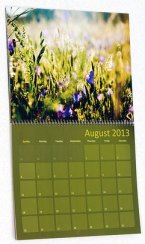
The New Year is rapidly approaching, so if you’ve been wanting to put together a calendar for client gifts or to promote your business, then stop procrastinating and get to it!

No matter what business you’re in, calendars are a great way to keep your name in front of your client all year long.

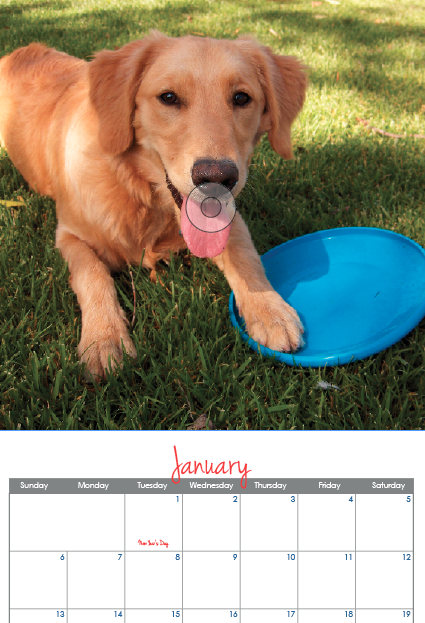
We know that assembling a calendar can be time consuming, so to save you time, we’ve created templates for some of your favorite design software, in multiple sizes that fit just about any budget and style. Just pick your software and product size, then get your content and imagery together. With just a few edits to typeface and colors you can create a calendar that is uniquely your own.

<< Want to get inspired? Check out Merritt Photography’s Seasonal Reflections 2013 Calendar. Jennifer Koskinen created a fabulous calendar that celebrates the seasons with artful iphoneography and inspired quotations by distinguished photographers and designers. Koskinen did so using our 8″ x 8″ Small Square product to create an elegant and minimalist calendar that fits her brand and budget.

Product Options:

Small Square (8″ x 8″) calendars

These are ideal for square photos like those from Instagram. With Saddle-Stitch Binding a 28 page calendar will cost $5.60/each + Shipping.

Standard (8.25″ x 10.75″) calendars

Our classic letter-sized publication. With Saddle-Stitch Binding a 28 page calendar will cost $5.60/each + Shipping.

Large Square (12″ x 12″) calendars

One of our larger products, this Wire-O bound style has heavier stock paper and is well suited for showing off beautiful images. At 28 pages a calendar costs $12.08/each + Shipping

InDesign CS5 and Newer

InDesign CS4

Pages

Microsoft Word

Restrictions in Microsoft Word make it difficult to have an editable calendar grid in the Word template, so we’ve created three different templates for our Standard size calendar that offer a variety of grid styles as static images. Choose from a classic “Grid style”, a sleek “Line style” or a clean “Corner Style” and add your images to get the look you want.

Poyomi

Tabloid 14″ x 11″ calendar

Don’t want to use any of the above applications? MagCloud’s Partner Poyomi has an easy-to-use web-based platform that helps you create impressive 14″ x 11″ calendars that are printed by MagCloud. With their service you can easily upload photos from your computer or connect to your accounts on photo-sharing services like Flickr, Smugmug, Picasa and Facebook.

*Please note that using the Poyomi tool and templates to create a calendar or photo book will affect the pricing. For Poyomi pricing, visit poyomi.com/pricing

To get started with the Poyomi calendar tool click here.

Check out some of our favorite calendars currently on MagCloud:

Q+A with Alyssa Yuhas of WLWL Magazine

Toronto-based graphic designer Alyssa Yuhas specializes in branding and online design for a variety of clients across North America. But she’s never forgotten her longtime love for print magazines and the thought of working for one.

When she discovered MagCloud, she realized right away that she could publish a magazine of her own. So in 2008, after “months of planning, days of designing, hours of procrastinating (sometimes you just have to) and minutes of pacing,” Yuhas excitedly launched We Like We Love.

  Tell us about We Like We Love.

Alyssa Yuhas WLWL is exactly what the title says – we share the things we like and love. We showcase people who are passionate about their contributions to the worlds of lifestyle, fashion, arts and culture. If you’re passionate and excited about what you’re doing, we want to tell your story.

  Why print and not just online?

AY I’ve always been really interested in magazines – I’ve loved them since I was little. I love the physicality of holding a magazine and flipping through the pages. Online is awesome, but I really wanted the physical object. When it’s in print, people are excited to get involved in it.

  How has your MagCloud publication improved your business?

AY It has given me some great exposure, and we’ve been able to participate in several communitywide events because of the magazine. Plus, it adds credibility to my graphic design business. Potential clients see my name on the masthead, and that’s brought a lot of new work and contacts.

  How has publishing a magazine changed for you in the past five years?

AY We watch our Google Analytics and our MagCloud statistics – and we’re excited to see that the magazine keeps growing and growing. In fact, the MagCloud views of our magazine have increased by 158 percent since our first issue.

We hear from people every day, and we’re getting more and more contributors from all over the world. I think our quality is improving, and people see that we publish on a consistent basis. Establishing that longevity has been fantastic – it helps us earn our readers’ trust.

  How did you get started with publishing through MagCloud?

AY I can’t remember how I found MagCloud but I definitely remember thinking, “This is the best thing ever!”

WLWL is really well printed and gorgeously bound. And now we have new size and binding options. It’s so cool that print on demand is now possible for anyone at a very low cost. Anyone can start a magazine now.

  What tips would you give to someone new to self-publishing?

AY Focus on both design and content. It’s important that your magazine be visually appealing and exciting, and also that people will delve into the stories. You need to strike that balance.

  If you were stranded on a desert island, which books would you want with you?

AY The Chronicles of Narnia series. That was my favorite as a kid. The language and visuals are beautiful. I could reread them over and over again.

Q+A with Paul Lips of Toobydoo Childrenswear

You don’t often find an expert in economics spending the day sketching designs for children’s rompers, tiny T-shirts and extra-small sweaters, but for Paul Lips, it’s a dream come true. This Holland-to-New York transplant had worked in the business side of fashion long before taking the leap to the design side – something he’d wanted to do since childhood.

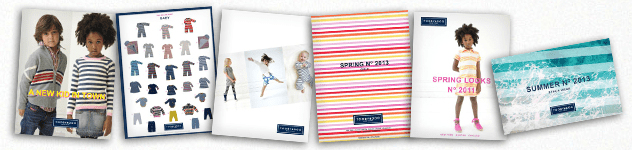
Since launching his New York City-based Toobydoo children’s wear line in 2008, sales have more than doubled each year. Key to that, Lips says, is MagCloud’s ability to quickly print his high-quality catalogs and ship them to garment showrooms around the world. ”For buyers who’ve never seen our clothing up close and in person, MagCloud helps us present our products well,” he says.

  Tell us more about Toobydoo.

Paul Lips We’re a lifestyle design label for children, ages 0 to 8. Our philosophy is “go happy, go lucky” with “to be, do!” attitude. I think you see that in our garments. Children’s clothing should be fun – but it’s also about function. It has to be washable, easy to put on and easy to wear. There are all kinds of criteria to take into account, and I like having to keep that balance in mind.

  As a small business, how has custom publishing fit into your marketing plans?

PL We present our fashion collections through a line sheet that lists our products and specs – for example, age, price and style numbers. And then we produce a lookbook that features models wearing our garments in various lifestyle poses.

In fashion, it’s important to get from an initial idea to a product very quickly. We can do a photo shoot and, two days later, we can upload our line sheets and lookbook to MagCloud and have them instantly available in showrooms. Every day counts. If you don’t have your catalogs in the showroom when buyers are ready to buy, you’ll lose the order. They’ll buy someone else’s line.

  What got you started with publishing through MagCloud?

PL We were pretty early adopters. Our photographer mentioned it to us as an interesting way to produce our catalogs and ship them internationally. From that point on, we have always used it.

Our customers require that we have line sheets and lookbooks. They like the way our pieces are bound – it’s exactly what they want. They look at them, they circle items they like, they write notes on them. They can take the books with them. It makes it easy for them to order our products, and that’s what we want.

The quality is a perfect fit for us. And with MagCloud, we don’t have to order large quantities. If something changes in our line sheet – for example, we discontinue a certain garment – we can easily update the sheet and send it out again.

  What are your tips for someone new to self-publishing?

PL MagCloud is easy. The costs are so low that you can afford to experiment with different approaches. And you don’t have to buy a lot of software. You probably already have what you need on your computer. We use PowerPoint to lay out our pieces. You’ll be amazed with what you can do with the tools you already have.

  What author, artist, photographer or musician would you most like to have over for dinner?

PL Danish architect Bjarke Ingels. I like how he strikes a balance between playful and practical. That’s what I strive for in all of our designs.

Q+A with LIVESTRONG Magazine’s (SPOT ON Media) Margot Sandenbergh

When Tour de France superstar Lance Armstrong’s foundation needed someone to create and publish his LIVESTRONG Quarterly magazine, it turned to magazine publishing expert Margot Sandenbergh. When Sandenbergh needed a way to offer the magazine as an on-demand product, she turned to MagCloud.

“With custom publishing, you control everything – how it looks, what’s in it, who gets it and how often to publish it,” says Sandenbergh, CEO and cofounder of New York City-based SPOT ON media. “Custom media is one of today’s fastest-growing marketing tools, and one of the best ways to strengthen the bond between a company and its customers – or in this case, a cancer advocacy organization and its supporters.”

  Tell us more about SPOT ON media.

Margot Sandenbergh We develop custom marketing tools for business and nonprofits. We create original content, which might take the form of magazines, video and online or mobile applications. As part of our media service we help our clients define and refine their strategies for customer relationship marketing.

Today’s audience is very media savvy. People are now immune to the same old marketing messages – they almost have an inner voice that acts as a gatekeeper. Our job is to tell them something they don’t know, and make it useful, interesting and entertaining while we do it.

  Why magazines?

MS Because they work. We know that 92 percent of readers spend an average of 30 minutes reading a magazine – 45 to 50 percent read it cover to cover. More than half have purchased a product or a service as a direct result of reading a customer magazine. And 39 to 42 percent keep their magazines or pass them on to friends and colleagues.

  What got you started with publishing through MagCloud?
MS MagCloud is an idea whose time has come. We were looking for a print-on-demand solution and saw an article about MagCloud. We started testing it in 2008, and we’ve kept up with all the improvements since then. We love the perfect-bound binding and the iPad solution.

One of the great benefits of print-on-demand is that it removes the high upfront printing costs, which is great news for small publishers or nonprofits. Nonprofits often have a loyal membership base that is willing to buy the publication from the MagCloud “newsstand.”

  How has MagCloud made a difference?

MS We’ve been able to reach a larger audience. We have an international audience of more than 90 million yellow wristband supporters. We couldn’t possibly print that many magazines. The iPad version on MagCloud is perfect for many people in our audience, but those who prefer a print version can also buy it from the MagCloud site and have it shipped to them anywhere in the world.

We’re creating a 15th-anniversary issue for October 2012. This special keepsake issue celebrating the milestones of LIVESTRONG, will have an indefinite shelf-life – thanks to MagCloud.

  What are your tips for someone new to self-publishing?

MS Know your audience and think about what makes your content unique. It’s always advisable to survey your readers about their interests. We try to use writers and editors who represent our audience – health writers, cyclists, cancer survivors and advocates. That allows for a rich editorial base and content.

  If your publication were a superhero, who would it be?

MS Every cancer survivor is our hero.

Q+A with Professional Photographer James Worrell

Simplicity, color and humor. These are the keys to the powerfully graphic images that James Worrell’s clients depend on to tell their stories and sell their products.

When it comes to promoting his work to new clients and keeping connected with previous ones, the New York City-based editorial and advertising photographer uses those same concepts to stand apart from his competitors.

“To have an affordably and beautifully printed version of my portfolio in this day and age when everything is online – it’s extraordinary, and it makes a lasting impression,” Worrell says. “There’s something still wonderful about the printed piece.”

  Tell us more about your work and your “Photography for Thinking” philosophy.

James Worrell I’ve been a still-life photographer for the past 17 years, shooting everything from cosmetics to food. What I love to do the most is conceptualized still life. Clients will call with rough ideas – maybe they’re telling the same story over and over and they need a new way to present it visually.

That’s where “Photography for Thinking” comes in. My wife and I bounce ideas off each other, produce sketches and send them to the client. The back-and-forth process starts from there.

  How does publishing your portfolio fit into your marketing strategy?

JW My clients are inundated with marketing pieces from photographers and other creative types. So if I can do something slightly different and slightly more special, I’ll increase my chances that someone will pick it up, look at it and even save it.

MagCloud is a wonderful tool that allows me to do a substantial piece, in short print runs, and get it out there at a decent price. And, from a visual perspective, it looks really good. A lot of print-on-demand services are expensive and the quality is poor. My brand is my brand – everything I produce is of the highest quality.

I always turn to MagCloud for part of my marketing process. You have to keep working and exploring ideas, and you have to remain excited about your work. MagCloud is one of those platforms that keeps you fresh.

  You did a very special promotional piece this summer.

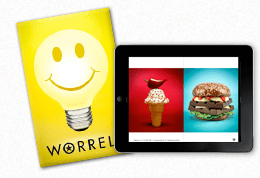
JW Yes, in July we ordered 70 custom-printed boxes with my logo on them, each with a light bulb jar filled with yellow M&Ms candy – some had a star printed on them; others featured “Think Worrell.” And we included a 40-page printed catalog of my work called “Worrell: Photography for Thinking.” We created the catalog using MagCloud. We hand-delivered about 45 boxes and mailed the rest. Plus, we shot a fun video of how we pulled the whole package together.

That promotion resulted in three strong gigs right away and several nice thank-you emails from clients and potential clients.

  What got you started publishing through MagCloud?

JW I’ve always been an early adopter of technology. I read about MagCloud on a photo blog, right when the service was introduced. I’ve stuck with the service because it works.

  What tips would you give to someone new to self-publishing?

JW My best piece of advice is: Don’t overdo it. MagCloud offers a simple, elegant platform. Just get started. Don’t overthink it. Use it for what it is: a way to show your work.

  If your portfolio was an ice cream flavor, what would it be and why?

JW I see my business as the perfect vanilla ice cream cone – not some crazy Ben and Jerry’s flavor – just a simple, elegant vanilla. Usually, less is more and the simplest idea can be the most effective, if you produce it properly.

Q+A with Rachael Cavallo of Palu Ltd.

Rachael Cavallo refers to her job title as “magician.” She and her coworkers – her fellow “magicians” – run Seattle-based Palu Ltd., specializing in the design and manufacture of affordable home furnishings. It might take a bit of magic, she says, to combine fine craftsmanship, quality materials and contemporary style with the needs of an increasingly green world – yet Palu remains committed to environmental responsibility in all aspects of its business.

And when it comes to publishing catalog that help sell Palu products, Cavallo leaves the magic to MagCloud. “It’s been absolutely wonderful – and we especially appreciate the fast turnaround,” she says. “I can’t recommend MagCloud highly enough.”

  Tell us a little bit about Palu.

Rachael Cavallo We like to imagine things differently. From a broad range of chairs to cabinets, dining tables, mirrors and more, our line offers versatile furniture that is elegant, appropriate and approachable.

We recognize that the business of making furniture can have a heavy impact on our environment and our world. We are constantly working to minimize the impact we have and to promote positive change. We actively support sustainable and accountable forest management, fair labor practices, energy conservation, recycling, transparency and innovation in everything we do.

  How did you get started publishing through MagCloud?

RC We used to do a catalog with each item having an individual page, and we assembled all of the pages into binders. It didn’t take long, though, for customers’ binders to become unorganized – especially when we’d add or discontinue items. If we weren’t there to update the customers’ binders personally, it just wasn’t working. Plus, our printer wasn’t doing a very good job. So we needed a new platform.

We found MagCloud and began creating individual booklets by room. So we have a bedroom booklet, a dining room booklet, a living room booklet, one for accessories – and the like. So now when we have revisions, we just alert customers to the revised booklets and they can order them directly from MagCloud.

  How has MagCloud improved your business?

RC I like that we can do very small print runs. We can easily put together a 12-page catalog every few months, print out a few and send those to anyone who’s interested in what we have to offer. We’ll do about 400 or 500 at a time. And if we need, say, three more, then we order just three more. Or 300 more. The quantity is never a problem.

The expense is so small compared with the benefit of always having something for customers to hold on to. That’s always been the challenge for us.

  What tips would you give to someone new to self-publishing?

RC Learn your publishing software. I think that’s the most important tip I can give. We use InDesign, and we had a local designer create 10 styles of a template that we use on a regular basis. InDesign is a wonderful tool. Learn to use it, and it will not fail you.

  If your catalog were an ice cream flavor, what would it be?

RC I’m going with Marionberry Swirl because vanilla is its classic base – you can’t go wrong with that. The marionberry comes from our part of the country – and our pieces definitely have a Seattle/Northwast flair. The marionberry shows that we’re classic, but with a special twist.

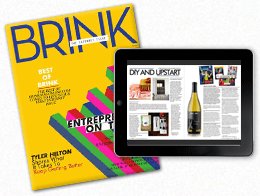
Q+A with Kyle Menard of BRINK Magazine

Kyle Menard has loved magazines since he could read. So much so that he once even dreamed of opening a newsstand selling magazines from around the world. “Like the kind you see in New York City,” he says.

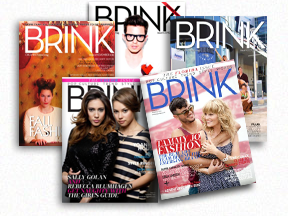
Now an adult in the digital age, Menard has directed his passion for print into a magazine of his own. In 2009, he launched BRINK, an Orlando, Fla.-based bimonthly magazine that celebrates entrepreneurs – those already successful and those just starting – and the spirit that makes them all so special. BRINK was voted “Best Magazine in Orlando 2012” by TheDailyCity.com readers.

  How did BRINK come about?

Kyle Menard  I’m just a huge fan of magazines and wanted to create a magazine of my own. So I put all my ideas together and named the magazine BRINK – because it’s always exciting to be on the cusp of something new, whatever that might be.

BRINK celebrates entrepreneurs and shares their stories and the lessons they’ve learned along the way. We feature entrepreneurs in the realm of entertainment, fashion, human interest and pop culture – everyone from indie musicians and actors to designers and artists – people who’ve quit their day jobs to live their dreams. We hope these stories inspire future entrepreneurs to create their own paths to success.

  How has publishing a magazine changed for you in the past five years?

KM My name has definitely become more recognizable in Orlando. And through the years people have become more willing to work with me and participate in BRINK. They want to join in the conversation. There’s something about publishing a print magazine that gives you more credibility.

There’s been a lot of talk about the demise of publishing, but print is not going anywhere. Online is great – everyone loves immediate gratification. But people still want to hold something in their hands. They want the physical magazine that they can hold – they want to experience a deeper connection.

  How did you get started publishing through MagCloud?

KM I did a web search for “publishing magazines” and found MagCloud. I began with a simple eight-page prototype. And after teaching myself Photoshop, going through some MagCloud tutorials and trial and error, I’ve never looked back.

  Why did you choose MagCloud?

KM We’re always evolving, and MagCloud is always evolving. The convenience factor is huge. If we need something printed right away, MagCloud can do that. If we need perfect bound instead of saddle stitched, MagCloud can do that. If we need 10 copies shipped to Spain, again, MagCloud makes all that possible. Plus, MagCloud is always encouraging us to do more with our magazine. They don’t just print your PDFs. They really care about your success.

Ask MagCloud: Can I Write on a MagCloud Publication with Pen or Pencil?

We receive a lot of great questions from our MagCloud community, but this particular one really sparked our curiosity—so we decided to investigate! A new MagClouder, Patricia, submitted the following question on our Facebook Page:

“I just discovered you guys and want to know if the paper you publish in would be suitable to write on with either pen or pencil. I’m interested in uploading a student planner, much like a ‘day minder’ so I want to make sure the paper is not coated in any way. Some such paper can make it hard to write with pencil or makes some ink smudge. Thanks for your help!!!”

MagCloud publications are printed on an uncoated satin paper stock that is both FSC-certified and acid-free (for more information on our paper, check out this FAQ ). To answer Patricia’s question, we decided to test it out first-hand. Check out the video to see what we found out.

Passing the smudge-proof test is especially great for those of you who use MagCloud to create personal planners, calendars, to-do lists and beyond!

Do you have a question for MagCloud? Check out magcloud.com/help, or ask us directly via Facebook or Twitter.  We’d love to hear from you.

Make Summer Last All Year – Turn Your Photos into a Calendar

In the last few weeks, we’ve been talking about ways to turn your photos into something special with MagCloud. Whether that’s creating a photo book with Photoshop, Lightroom or Aperture, or creating a Summer Memory Magazine, MagCloud makes it easy to enjoy your photos in beautiful print and digital formats. So why not enjoy Summer all year-round by creating a calendar with your photographs?

To help you get started, we’ve created 6 templates for you to use with Adobe InDesign and Apple Pages. Simply add your own photos, special dates and details, upload your PDF to MagCloud and you’re set! You can sell your calendar online in the MagCloud Storefront or use our Direct Mail feature to send a copy to all of your friends with just a few clicks of the mouse.

Let’s get started!

Select the Format/Size of Calendar

Our templates are available in 3 sizes:

  • Small Square (8″ x8″) calendars (ideal for square photos like those from Instagram) with Saddle  Stitch Binding (28 pages – $5.60/each + Shipping)
  • Standard (10.75″ x 8.25″) calendars with Saddle Stitch Binding (28 pages – $5.60/each + Shipping)
  • Large Square (12″ x 12″) calendars with Wire-O Binding (28 pages – $12.08/each + Shipping)

*Remember that prices drop 25% off when you order 20 copies or more. So if you’re looking to order gifts for friends and family, or a great way to promote your business–a MagCloud-published calendar may be the perfect solution.

Select Your Software

InDesign CS5 & Newer

InDesign CS4

Pages

Script (handwriting) Typeface used in templates: Jenna Sue

Calendars for Business

You may also remember that last year we talked about using a MagCloud-printed calendar to promote your business. In exchange for you summer vacation photos, you can easily add images of your products, team members, or local scenery. Add your logo to the back cover along with a bit about your business and contact information and voila–you’ll keep your brand top-of-mind and in front of your customers all-year-round.

Since last year’s calendar template was so popular we also decided to revamp it for 2013. Enjoy!

That sounds too complicated for me.

Don’t want to use either of the above applications? MagCloud Partner Poyomi has an easy-to-use web-based platform that helps you create 14″ x 11″ calendars that are printed by MagCloud. With their service you can easily upload photos from your computer or connect to your accounts on photo-sharing services like Flickr, Smugmug, Picasa and Facebook.

*Please note that using the Poyomi tool and templates to create a calendar or photo book will affect the pricing. For Poyomi pricing, visit poyomi.com/pricing

To get started with the Poyomi calendar tool click here.

Eternalize Summer Memories With Your Own Magazine

Though Summer’s heat lingers on, Labor day is just around the corner marking the unofficial end of Summer.  Whether your family took a big trip or just used the lazy afternoons to hang out together, you are sure to have plenty of memories – and pictures – you want to save.

For many, vacation photographs wind up unorganized and spread amongst their hard drives, cell phones, Instagram and Facebook–doomed to be lost in the shuffle. With that in mind, why not take an afternoon and organize your family’s vacation experience, photographs, and mementos into a summer memory magazine?

With MagCloud’s beautiful print quality and direct mail options, you can even order copies to be sent directly to grandparents, cousins and friends to enjoy.

Getting Started: Where will you create your PDF?

First, you’ll want to select a platform to design/assemble your MagCloud-ready PDF­. You can use web-based Poyomi, or software like Adobe InDesign, Quark, Apple iWork Pages, or Microsoft Word.

As you get started, you can choose to start with a pre-designed template from the software (if available), or with a plain MagCloud template available here. You may even remember a post from awhile back, when we used Apple Pages’ built-in Templates to create magazines.

Organize Your Images and Treasures

Next, gather together your vacation photographs and organize them into a single folder. Then select the images that most effectively represent your vacation experience.

Collect any small items that you may have picked up along the way (i.e., a drink coaster with a resort’s logo, maps, airline ticket stubs, brochures from attractions, etc.). Such items can be scanned and added throughout your magazine and provide a more personal touch to the project. For example, you can use your ticket stubs from the theme park to give a different look to your family’s latest roller coaster adventure.

Order and Details

Although you have complete creative control over how you assemble your summer memory magazine, the easiest way is to assemble things is in chronological order so those enjoying your magazine can experience your vacation from start to finish. Throughout the publication you can include  quotes from your family members, or funny anecdotes – like when the duck bit the zoo keeper during his presentation.

Be sure to take the time to caption your photographs, indicating the “who, what, when, and where” of each picture. This will be helpful for others viewing your memory magazine and for you in later years when small details slip from memory.

Write a short paragraph for each of your summer highlights. Ask your children for input and have them answer questions about their favorite parts of the summer. You’ll be amazed by what they come up with and it’s always fun to look back and remember what was happening in pop culture at the time.

Some details you may want to include:

  • Favorite Summer Memory
  • Places and people you visited
  • Friends made
  • Activities and Games played
  • Movies watched
  • Books read
  • Song that was on repeat in the car
  • The silliest moment of the summer

Design Can be Daunting

When it comes to assembling your summer memory magazine, don’t worry if you don’t have a lot of design skills or experience. You can look at magazines for inspiration, simply use photos and captions for a basic layout, or even re-purpose templates that have nothing to do with this purpose. You can find inspiration anywhere, you just have to look past the content and look at the design. For example, the magazine pictured above used our Microsoft Publisher Brochure Template as a starting point for the layout. The design was a perfect way to include ample text to tell the story that went along with the photos. A few tweaks to colors and typefaces and we were able to completely transform the look of the original design..

As an additional example below, we used the layout from an Apple Pages design template for a school yearbook. With a few changes (and by deleting the extra clip art that made the layout look  “education-centric” we were able to create a casual scrapbook-style. Adding a scanned scrap of paper with Sara’s favorite memory from the water park gave the page a personalized feel.

Microsoft Word also has some great “Newsletter Templates” that are built-in to the software (Mac) or available online. Below are some samples that could be easily tweaked and used as the interior pages of your memory magazine.

No matter what software or platform you choose to create your magazine in, there are lots of sources for inspiration. So start designing and have some fun with it!

Have you created a photo magazine or book with MagCloud to commemorate and event, trip or season in your life? Tell us about it, or share your publication in the comments below!