The Importance of Layouts and Templates

Whether you’re a design newbie, or a seasoned veteran, sitting down to create a new publication can be a daunting task. There’s nothing more frustrating than staring at a blank page, feeling stuck, and unsure of where to begin. It’s often easier to change things that don’t work for you, than to completely start from scratch, which is why we suggest starting with an existing document. It can be the design of a similar publication, or a simple template that has preloaded margins, column guides and style sheets, that you can quickly adjust for a head start. The advantage of dong this, it that the basics of the page are already in place so you can focus on your content and styling.

Why use a template?

Whether you are creating a 12-page or 120-page publication, if you plan to create a series with the same style, you’ll definitely want to invest the time to develop style sheets, and come up with a few layouts that you can repurpose each time you publish. This will help you keep a visual consistency not only throughout each publication, but also from publication to publication over time.

Some of our publishers have done a great job of this, and you can see how it helps reinforce their brand to have consistent styling throughout each publication.  Check out a few issues of Hacker Monthly or Livestrong, or portfolios by professional photographer David Livingston and you will see what we mean. Each of these publishers have developed a consistent style using templates that is unmistakably and identifiably their own.

Not an expert at design? No problem. Using a professional-looking template can increase your credibility, and make any publisher look like a pro. Find a template that has a style that resonates with you and use it as a springboard to get yourself started. You can see some great examples of this in our blog post Easy Design with Templates in Apple’s [iWork] Pages, where we turned a basic Symphony Program into a business services guide for an event planning company, a sports team yearbook, and a fashion magazine, with just a few changes in font, colors and photography.

Finding Templates
Where to look and what to look for…

Some software comes equipped with built-in templates, and you can also find great free and paid templates online at the companies’ websites, like Microsoft has for Word and Publisher here, or Adobe has for InDesign at Adobe.com

Still can’t find what you need? Other resources exist where you can buy specific designs for your needs and many of these sites make their templates available for a variety of design programs like Inkd and Stocklayouts.com.

When picking your templates, there are a number of things to consider for your publication:

1. Is this template for an 8.5″ x 11″ document? If it’s designed as a 17″ x 11″ spread, do I know how to adjust it to the right size?

2. What sort of page-layouts are included in the template?

3. Does the template have the right ratio of graphics to text for my needs?

4. Are there hidden layouts that I don’t see? * Hint: if you are using iWorks Pages, there probably are!

5. Does the style suit the audience I am trying to reach? If not, is it easily changed with a few font/color tweaks?

6. Don’t feel restricted by the stock photography or color palette used in a template. Keep in mind our example of the Symphony Program being transformed into a fashion magazine or an event planner’s business collateral

7. Ask yourself, “This template isn’t designed for my specific use-case, but does the overall layout and feel fit my purpose? Could I transform it into something that works?”

Ready to customize your template?
A few tips for making any template fit your needs.

– Unless you get a template directly from our blog, you will likely have to alter some of their settings to accommodate MagCloud’s printing requirements. Before you start making any edits to your template, be sure the document settings match those in the MagCloud Help Section.

– When you make changes to fonts and colors, always do this by editing the font or paragraph style sheets. This way, if you don’t like a change that you have made, it will be easy to adjust and will change that style use on all of the pages of the template.

– Always start with the original file and make 2 or 3 versions, each with different fonts or colors. Then save each as it’s own template so that you can compare them and easily decide which one you like best.

Ready, Set, Start Publishing!

Now that you have your template selected, it’s up to you to make it your own. Need a bit of extra help? Check out our other Tips & Tricks blog posts, or visit the help sections of your software’s site. Many of them have great how-to resources and videos to help you on your way.

Adobe InDesign

Microsoft Office

iWorks Pages

Vacationing with MagCloud

Memorial Day is a welcome beacon that summer is around the corner. As you finalize your plans for summer, MagCloud wants to provide you with a way to capture all of those special memories and experiences – whether it’s a staycation near home, a road trip to the national park or a getaway to an exotic locale.

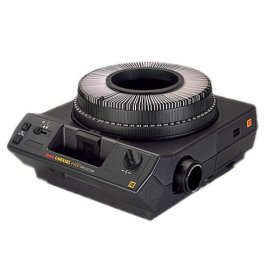
How are you chronicling this precious time? Some of us may remember those family gatherings in front of the carousel slide projector or the bulky albums our parents put together after every trip. Now with MagCloud, you can create a personal memento in magazine format to easily share your memories with family and friends in print and digitally.

Here are a few tips and tools to assist you through the process:

  • If you’re creating a simple photo magazine, below are a few tips and resources to “prep” your images before publishing.
    • To produce a quality publication, make sure all images have a resolution of at least 300 pixels per inch.
    • If you’re looking for photo editing tools but don’t have access to Photoshop, check out GIMP (free software that features most of the capabilities that Photoshop offers) or any of these additional photo editing tools.
    • Short on time or not comfortable with design tools? Give Poyomi and turn the photo sets into a magazine without using a design program.
    • Need inspiration? Browse through some of our travel and vacation magazines.

Have you ever used MagCloud to create a magazine of memories? It’s even a great way to commemorate a school year, a birth, a wedding and more. With MagCloud’s digital publishing and print-on-demand capabilities, it’s never been easier or more budget-friendly to capture the special moments in life.

Trim, Bleed and All That Jazz

One of the trickiest things about designing for print is understanding trim size and all things related to it.

After the printed pages come off our presses and are bound together, they need to be “trimmed” so that each page is exactly the same size.  This ensures each page in your publication is even, giving it that professional look.

While we always try to trim as accurately as possible, it’s natural for the trim line to vary slightly in one direction or the other, which is why we recommend that you include a “bleed” and work within a “safe zone” when you design your PDF.

Bleed

To ensure that no important parts of the page are cut off in the trimming process a “bleed” area is defined.  The “bleed” extends beyond the “trim” for when you want a photo or color to extend to the edge of the page.  For Standard, Digest, and Digest Landscape publications, the bleed is the top 0.125 inches, the bottom 0.125 inches, and the outside 0.25 inches of your PDF. For Flyer publications, the bleed is the 0.125 inches on all sides of the 8.5″ x 11″ PDF.

The reason to include a bleed in print files is to ensure that images you want to go to the edge of the page always do so, regardless of how exact the trim is.  If an image is cropped at the 8.25” x 10.75” trim edge on a Standard size publications, as shown in the below diagram on the left, and the print is trimmed slightly wider, then there will be a white bar between the printed image and the edge of the page.  If the image is extended all the way to the 8.5” x 11” PDF edge instead, filling the bleed area as shown in the below diagram on the right, then the printed image will go all the way to the edge of the page regardless of where the actual trim occurs.

Safe Zone

The “safe zone” is the area inside the trim line where your text and graphics are not at risk of being cut off or lost into the binding in the final print, regardless of any variation in the trim.  For MagCloud publications this area is 0.25 inches within all sides of the trim edge.

Any content that you want to appear completely within the final printed publication should be kept inside the safe zone.  Placing content too close to the top, bottom or outside edge of the PDF could result in that content being cut off during trimming.  This is something to keep in mind when adding page numbers to your publication, as those tend to be placed closer to the page edge.  Similarly, placing content too close to the inside edge of the PDF could result in that content being lost into the binding if your publication is perfect bound.  By keeping your content within the safe zone, you ensure that it will appear completely in the final print and digital copies of your publication.

For more information and step-by-step instructions to set up your PDF with the bleed and safe zone in mind be sure to check out our Getting Started page.

Next up in the MagCloud Design series: The Importance of Layouts and Templates

Design Blog Series

We realize designing a great looking publication can be time-consuming and a bit tricky so for the next month we’ll be doing a series of blog posts sharing some of the MagCloud team’s favorite design tips and resources.

These will range from guidance on how to create a MagCloud-ready PDF, to design do’s and don’ts, as well as the latest trends in fonts, color and content layout.

Tomorrow we’ll kick off the series with a post on how to work with trim size when creating a MagCloud-ready PDF.

Let us know in the comments section if there are any specific topics you would like us to include in the Design Blog Series.

Happy Designing!

Have a Question? We Have Answers!

We’ve expanded our Help section adding more detailed instructions and FAQs to make publishing on MagCloud a little easier.

Our new How to Publish page offers diagrams and PDF specs to guide you through each stage of the MagCloud Publish process. In our new PDF Guides section you can select step-by step instructions for a variety of design and publishing applications such as Adobe InDesign, Microsoft Publisher and Apple Pages to help you create and export a MagCloud-ready PDF. You can also download a PDF of those instructions directly from the PDF Guides page, or order a print copy as a way to see MagCloud’s print and digital quality and have the information at hand while you create your PDF.

If you run into any questions, search for answers on the new Ask MagCloud page. We’ve expanded our frequently asked questions and made them searchable to help you find the answers you need as quickly as possible. If the answer you’re looking for can’t be found on the site, you can use our new Contact Us page to send the MagCloud support team all the necessary information up front so they can get you back on the path to publishing even faster.

We are also making it easier to keep up-to-date with new features and promotions via our About section. This is where you can find out about the latest website enhancements, printing options, calculate what it will cost to print and ship your order, or find out more about MagCloud’s digital distribution options.

We hope these new resources will make publishing through MagCloud even easier.

Let us know what you think!

Here’s to All Our Moms

We’re taking time this week to reflect on mothers and all that they do for us. At MagCloud, we work with moms every day. They are some of the most committed and hard-working people on the planet.

We celebrate their diverse interests and all they teach us from style, to crafts, even encouraging our green thumbs. One thing is common between all moms…they are smart, powerful women who put the role of motherhood ahead of anything else and whom we hope will get a much-deserved vacation this year.

Don’t forget, Mother’s Day is this Sunday and we have you covered in the gifting department. With these ideas, you’re guaranteed to make this year extra special.

-Using your Flickr photostream, create a photo magazine that takes her breath away.

-Choose from MagCloud’s exclusive library and show her that you selected something specific to her taste (and receive 25% off production costs of all full-priced magazines between now and May 8).

-For those of you who want to make a big splash, why not pick out a magazine that features one of her favorite destinations…then slip a pair of plane tickets between the pages.

What else are you planning for your mom this Sunday? Tell us in the comments below!

We also want to take the time to thank our own Moms all of whom have inspired us and in doing so hopefully makes MagCloud even better.

Network, Share and Inspire

Are you on the lookout for conferences and events that provide a superb opportunity to network with publishers and designers, ignite your creativity, learn valuable information from thought leaders and stay on top of emerging trends in the industry? Below is a list of some of the best publishing and design conferences in the United States. In the comments section below, please share the events that you plan to attend this year.

Print and ePublishing Conference (May 23-25, 2011; Washington D.C.) – Join the world’s top InDesign experts and members of the Adobe InDesign team to gain more valuable insight on the topics of publishing. We’re excited to hear that they have a full day of post-conference tutorials as well!

HOW Design Live (June 22-27, 2011; Chicago, Illinois) – With more than 35 sessions and expert speakers, this conference provides a variety of design inspiration, information and instruction. There are also many networking opportunities at this event to connect with speakers and other design professionals.

CliQ 2011 (September 6-11, 2011; Las Vegas, Nevada) – Taking on a new name, CliQ is PMA International’s premiere event and known as the world’s largest annual international photo imaging trade show. (Update: PMA recently announced that CliQ will co-locate at the 2012 International CES in partnership with the Consumer Electronics Association.)

Adobe Max (October 1-5, 2011; Los Angeles, California) – Adobe MAX is the place to go and see how technology and art converge. It’s a great venue for designers, developers and business decision-markets to exchange ideas and inspiration.

American Magazine Conference (October 4-5, 2011; New York City, New York) – Deemed as the official annual meeting of the consumer magazine industry, this popular three-day event is produced by MPA and the American Society of Magazine Editors. Join and learn more the industry’s thought leaders and innovators as well as the brightest and most interesting minds of our times.

Altitude Design Summit (January 18-21, 2012; Salt Lake City, Utah) – If you’re obsessed with great design and smart ideas, this is the place to be. The organizers have created a place where design and lifestyle bloggers and creative entrepreneurs can come together, share ideas and connect with marketers.

SXSW Interactive (March 9-13, 2012; Austin, Texas) – It was our first time attending this year and we loved it! Five days of compelling seminars in emerging technology, exciting networking events and programs featuring the best there is to find in digital works, video games and innovative ideas.

Vote for MagCloud – Web Services & Applications Webby Nominee!

We’ve been doing a lot of celebrating here at MagCloud!  To start, the Webby Awards declared MagCloud as a nominee for this year’s Web Services & Applications category. To say this is an honor would be a total understatement. Just look at the past winners and where they are now:

LinkedIn (2007 winner) – With more than 10 million members in 2007, LinkedIn has grown tenfold over the past 4 years with members in over 200 countries and territories. MagCloud couldn’t ignore the popularity of LinkedIn and the value professionals extract from the network each and every day. Recently, we launched our Publisher’s Corner group on LinkedIn to tap into the resources offered by this professional social network.

Google (2004 winner) – In 2004, Google celebrated their milestone of 6 billion items in their search index. Now? Hmm…there isn’t much more to say about this site which is already a household name and used widely as a verb in everyday sentences. We foresee MagCloud in the same sense one day…“I’m going to MagCloud my portfolio for this amazing new job opportunity” or “I MagClouded my 5th magazine issue to readers on umpteenth mobile devices” or “Sweet – I just MagClouded it and my magazine came in the mail a few days later.”

eBay (2003 winner) – Eight years after it was founded, eBay was listed at #8 on Fortune’s list of Fastest Growing Companies in 2003. Almost celebrating its sweet 16, eBay now trades more than $2,000 worth of goods per second. Imagine if MagCloud published 2,000 publications per second. It could happen!

That’s not all! It’s a double whammy for us this year because MagCloud was also inducted as an Official Honoree for the Magazine category in the 15th Annual Webby Awards, signifying the outstanding caliber of work by our team and all of our publishers. We’re thrilled to join the ranks of the who’s who in the magazine community including The Bold Italic, The Economist, ELLE, GQ, Inc., JPG, Men’s Health, The New Yorker, PC World and T: The New York Times Style Magazine.

Here is where we need your help with our Webby Award nomination. You get to choose who takes home The Webby People’s Voice Award and wouldn’t it be great if it were MagCloud? :)

Voting has already started and it ends on April 28. So please…pretty please…vote for us. Okay, how about “pretty please with a cherry on top”? And, if you feel so inclined, how about posting a tweet or Facebook update to get others to vote as well?

We look forward to improving our services and growing our MagCloud family. It’s nearly three years since we launched and we’re thankful of the support and encouragement that we’ve received from our community of publishers, marketers, photographers, designers, event planners and myriads of other professionals. It is through your continued feedback, creativity and excitement for all things publishing that makes our service what it is.

Thank You!

Magazine Cover Design Inspiration

At MagCloud, we’ve seen a lot of magazine covers and know that the cover can significantly influence the popularity of an issue. Today, we’re sharing a few online resources that can provide more “food for thought” when you’re sitting down to design the cover of your next issue.

We know our customers’ design experience and expertise ranges significantly so no matter where on the spectrum you fall, it’s best to stay updated on the latest design software and trends available to you.

Let’s dive right in. Layers Magazine is an invaluable resource for designers of all sorts. Whether you’re looking to build a better portfolio or want to know how to make your magazine cover stand out among the rest, the website offers a variety of sections with tips and tricks for getting the most out of Adobe’s design tools.

Typography arguably plays an important role for your cover. Even if your magazine is image-driven, there is still a need to spend time researching trends and case studies before thoughtfully selecting a font. Don’t know where to start? Typophile’s Typography 101 will have you weighing the pros and cons of Venetian vs. Garalde types in no time. If you get stuck or have a question about using a specific font, head on over to the forum section and ask the experts!

For help designing graphics to insert into your magazine layout, check out Abduzeedo, which has a section devoted to daily inspirations for designers. Their interview section features established photographers, graphic artists, illustrators and others that can also provide real inspiration when you’ve hit a wall with your issue. Finally, Designmoo and 365psd let you download free graphic design files and collaborate with a community of designers.

It’s also essential to stay on top of today’s trends in print design. Visit Colourlovers for the latest in color trends and Trendland for trends across all mediums. It’s truly a go-to site for every designer.

Have a favorite site, blog or resource that we didn’t mention? Share it in the comments below! And, don’t forget to share this article. Your friends and followers will thank you!

Put MagCloud to Work

You heard that right. MagCloud can help bring your professional projects to life in print and digital. Our service is a great way to showcase your work to customers, clients, colleagues, partners etc.

Besides magazines, we’ve seen a variety of creative ways that MagCloud customers have used our service for their most demanding business needs.  So whether you are creating a portfolio for client meetings, company brochure, customer newsletter or product catalog, MagCloud will take your publication from PDF to printed magazine and digital download with just a few clicks of the mouse. Planning an event? We’ve got you covered there too. Our event planners and marketing customers have utilized MagCloud to print event souvenir programs, meeting programs, handouts and brochures. You can even publish your workshop manuals with us too.

Whatever the purpose – fun, commemorative, professional or informational – there are no boundaries to the way people are using MagCloud. Let us bring your story to life. MagCloud can help promote your company, products and services in both professional quality print format or digitally for viewing on a PC or mobile device. Whether you are ordering 1 or 1000 copies, MagCloud will ship your business documents to customers and colleagues all over the world. Visit magcloud.com/work and learn about the many ways we can help you make your next gallery exhibit, client meeting, workshop, convention and fundraising event that much better.

What other ways do you use MagCloud? Share your past, current projects and future ideas in the comment section below.