Using MagCloud as a Sales Tool for Your Real Estate Business

In addition to using MagCloud to market their real estate business, a number of real estate agents have been using MagCloud as a sales tool. MagCloud’s print on demand capabilities allow real estate agents to order informational flyers for their open houses in smaller quantities, only as they need them, reducing waste and storage costs. Agents have taken advantage of MagCloud’s Ship to Group feature to easily mail copies of their listing catalog to an address list of potential buyers with a single order. The added benefit of MagCloud’s digital distribution means real estate agents can get these flyers and catalogs in front of potential buyers across all formats, whether it’s in print, as a downloadable PDF, or on the iPad. And if the price of a listing should change or photos need to be switched out, it’s as simple as uploading a new PDF file to immediately update both print and digital collateral.

Beyond the traditional flyers and catalogs used as sales tools in the real estate industry, MagCloud’s combination of professional print quality and no minimum order volume offers real estate agents the opportunity to experiment with to market their listings without breaking their budget. For example, if you are trying to sell a condo with a breathtaking view you could give buyers the opportunity to see what the view looks like at different points during the day by creating a time-lapse photo flipbook using the MagCloud Digest Landscape product. By taking photos at regular intervals from the same spot over the course of the day, then placing one photo per page in a MagCloud publication, potential buyers attending an open house will be able to look at individual pages in the printed book to see how the view looks at different times during the day, or can flip through the booklet all at once to watch the view change over time. Highlighting a key feature like this can be a great sales tool, and using MagCloud will allow the piece to be professional and affordable even if you just a need a couple of copies.

Alternatively, let’s say you have a listing for a single-family home in a neighborhood that has a lot to offer in terms of amenities. You could expand on the usual informational flyer and create a more in-depth, full color brochure with MagCloud that shows off not only the property, but shops, parks, restaurants, and schools in the surrounding area. Highlighting the key features outside the home that might appeal to your ideal buyer could be the difference that makes your listing stand out over the alternatives. Presenting this information as a high quality printed piece will have the added benefit of offering a more professional look without the expense of a traditional print run.

If you have multiple target buyers for a single property you could even take it a step further and create different versions of the brochure to highlight the amenities that appeal to your different audiences. For example, one version of the brochure might give more emphasis to the great schools and parks in the area, while the other might highlight the local restaurants, public transportation and nearby fitness centers. With MagCloud, printing 25 copies each of two different brochures will cost the same amount as printing 50 copies of the same brochure, so with no added cost you can align the messaging on your sales materials to a particular buyer’s interests and help them more readily see themselves in the property, which could translate into a sale for you.

To help you get started using MagCloud as a marketing and sales tool for your NSW real estate business, check out these resources that offer real estate-based templates that can be used to create MagCloud-ready PDFs:

MagCloud Real Estate Catalog Template: Catalog template created using the MagCloud specs for use with Microsoft Publisher. You can download the template here.

Microsoft Office Templates: The Microsoft Office website has a number of real estate templates that can be used with Word and Publisher, like this real estate flyer template for Microsoft Publisher. This template will allow you to create an 8.5 x 11″ PDF, perfect for printing with MagCloud’s Flyer product type.

LayoutReady: LayoutReady has templates for Microsoft Word and Publisher, and offer a variety of options for real estate publications. Their 2-page letter-sized newsletter templates can be used with the MagCloud Flyer product type, and their 8.5″ x 11″ flyer templates can as well. Their 17″ x 11″ brochure templates will require some editing to convert them to 4 page 8.5 x 11″ PDFs, but after doing so they can be printed as 4-page MagCloud Standard publications.

StockLayouts: StockLayouts has templates for Adobe InDesign, QuarkXPress, iWork Pages, Microsoft Word and Microsoft Publisher. Like LayoutReady, their 8.5 x 11″ flyer templates can be used with the MagCloud Flyer product type, while their 17″ x 11″ brochure templates and 11″ x 8.5″ newsletter templates will require some editing to convert them to 4 page 8.5 x11″ and 5.5 x8.5″ PDFs, respectively, but after doing so they can be printed as 4-page MagCloud Standard and Digest publications.

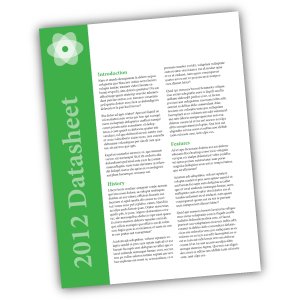
Inkd: Inkd has templates for a wide variety of design software, and has a section of templates specific to the real estate industry. Their 8.5 x 11″ datasheet and flyer templates work great with the MagCloud Flyer product.

Are you a real estate agent that has used MagCloud as a sales tool for your business? Let us know how you’ve been using it in the comments section below.

Using MagCloud to Market Your Real Estate Business

Today we want to speak to the real estate agents and agencies of the world. If you’re spending time and money printing up fact sheets, flyers, listing catalogs and brochures every month or even once a week, our service can help make the process easier. We know in the world of real estate, things are constantly changing. You sell a house and have to remove it from your list catalog. A new unit goes on the market and you’re turning around a new fact sheet in a few hours.

Just browse our site and you’ll see that MagCloud is already a popular tool for real estate agents. MagClouders are branching out beyond property listings; they’re including tips for first-time homeowners, agent profiles and ads for local businesses that home buyers might find useful. Photographers are in on the real estate market too as they sell annuity, using MagCloud to show how hiring a professional photographer can make your properties stand out as an agent. (And we couldn’t agree more!) MagCloud’s Flyer product is popular for any prints that don’t require binding. Full-color fliers with images of your listings will make your sales sheets pop and your competitors green with envy.

MagCloud’s services can also help you be more nimble as a business, keeping you a step ahead of that other agency or agent. Think about it. We offer a print-on-demand service which means no more bulk orders of brochures. With MagCloud, you order what you need as you need it and you’ll receive your prints in as little as three days. Go further with your publication by offering an iPad or PDF-friendly version as well. Your clients will appreciate a paperless version when they’re juggling fact sheets and flyers for so many different properties.

Beyond its true cost-saving and waste-reducing advantages, HP’s top-notch print quality is the No. 1 reason MagCloud customers keep coming back. Don’t just take our word for it, hear from a satisfied real estate agent who’s been using MagCloud to promote his realty business with 4-page flyers and community Buyers Guides. Also, check out other resources on our site like the Product Spotlight: Flyer for Business and tips on how to attract an audience with great content.

Now we want to hear from you. As a real estate agent, how have you incorporated MagCloud as a tool to promote your business? Feel free to share your tips and success stories with us in the comments section below.
Product Spotlight: Flyer for Business

One of the new product types we recently announced is the Flyer. The Flyer product is a single sheet of paper printed on both sides in full color with a full bleed, available in quantities of 10 copies or more. You can create a Flyer by uploading a one or two-page 8.5” x 11” PDF to MagCloud. Keep in mind that all Flyers must be two pages long, to encompass both the front and back sides of the printed sheet, so if you do upload a 1 page PDF we will automatically add a second blank page to the end of the PDF for you. Like our Standard product, the cost for a printed Flyer is 20 cents per MagCloud page, or $0.40 for each double-sided piece. As always, orders of 20 copies or more receive a bulk discount of 25%, dropping the price to just $0.30 per Flyer.

We feel like this shorter page limit opens up a number of new options for our publishers, and have listed a few ideas below for how you might be able to use the Flyer product for your business:

< Inserts
Update previously printed collateral to be more timely and customized by adding a single sheet insert. Adding a single sheet insert to a previously printed piece like this can provide more relevant information targeted to a specific recipient, or offer an update to existing collateral. For example, if you’re passing out a catalog, you might include an insert about your upcoming product line or summer sale. Similarly, if you are sending previous donors a copy of your non-profit’s annual prospectus, you might include a more personal thank you letter as an insert.

Conference and Tradeshow Handouts >
Whether they are included in the conference materials or handed out at a tradeshow booth, providing printed handouts to attendees to highlight the features of your product or service will help potential customers remember who you are when they get home.

< Datasheets
The Flyer product is a great option for creating single sheets of technical specs on your product or service. The high quality of the digital printing provides a more professional appearance than desktop printing, while the single letter-sized sheet is a format that can easily be included in a packet with other materials, or left behind at a sales meeting.

Real Estate Sales Sheets >
If you’re an Australian real estate agent, why not use the Flyer product to create sales sheets for your newly listed homes. The full color printing will allow you to include photos along with background information about the listing, that can be offered up as a way to entice potential buyers. Since MagCloud allows for shorter print runs, you can order fewer copies initially and print more on demand as they are needed, saving on storage and paper waste.

< Headshots and Resumes
Get your job interview or audition off on the right foot with a professionally printed resume or double-sided headshot.

Newsletters >
Use the Flyer product type to communicate with your clients or members by creating a single-sheet newsletter. With MagCloud’s digital options, you can offer your audience the same newsletter in both print and digital with a single PDF upload.

< Menus
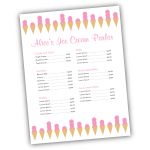
A single 8.5″ x 11″ sheet is the great size for menus, and MagCloud’s print-on-demand model provides a cost-effective and easy way to order additional copies or make updates to the menu as needed. If you’re a caterer, you can take advantage of MagCloud’s shorter print runs to create Flyer-sized menus tailored to each event you cater, whether it’s an intimate dinner party or a large buffet.

Price Sheets >
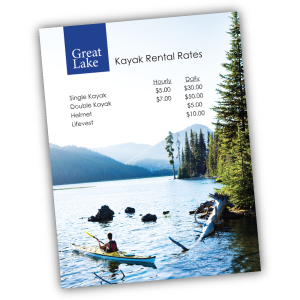
Are you a photographer offering senior portrait packages? How about a sporting goods store offering bikes, kayaks, and skis for rent? Or a spa owner with a list of services you need to publicize? Whether you are a makeup artist, landscaper, tutor, or dog walker, let your potential customers know the rates for your services with a professionally printed price sheet that can incorporate full-color images of your prior work and personal branding.

< Flyers for Sales and Events
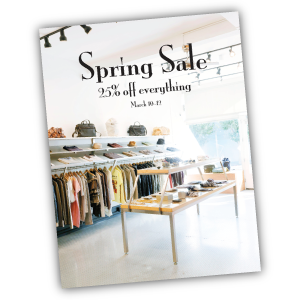
Use the Flyer product for what it was named after: flyers! Print and pass out single sheet flyers for your next retail sale, store opening, or company event. Whether you are hosting a signing in your book store, a concert in your coffee shop, or a spring sale in your clothing boutique, make sure your potential attendees and customers not only know about it but remember it with a printed flyer.

Looking for more inspiration, or wondering where to get started with your Flyer design? Templates that fit the 8.5″ x 11″ Flyer product type can be found around the internet, and even on your own computer. The Microsoft Office Suite, as well as Apple’s iWorks Pages come preloaded with a number of letter-sized templates that can be used for creating Flyer publications. In addition, sites like Inkd and Stock Layouts offer a range of different letter-sized templates in their Datasheet and Flyer sections that you can download for a price and edit to fit your needs before uploading to the MagCloud site for printing and distribution.

Have you already created something for your business with the new Flyer product? Let us know in the comments below!

How to Personalize Your MagCloud Page

If you’re using MagCloud to create collateral for your business, portfolios for photography, catalogs for your retail store, a unique magazine, or other content to promote your brand, then shouldn’t your MagCloud page reinforce your brand too?

It’s easy to make your MagCloud profile and publication pages work for you by taking a few minutes to flesh out your publisher profile and create header images that reinforce your brand throughout your pages.

Your Publisher Page

No matter what sort of business you’re into, when customers discover your content on MagCloud, you want them to be able to connect with you directly. Your profile page includes an option to link directly to a website of your choosing, and with some simple html you can also include hyperlinks, images and emphasize text within your profile description.

To get started, you’ll need to log into your account and go to your publisher profile editor.


Link to a website: <a href=”URL”>link</a>

In our Jane Doe example, we used some of MagCloud’s allowed HTML tags to include more links in Jane’s profile. To add a link to your website without having to include the whole website URL, you can simply insert a block of text like below:

Curious about more recent work, or what I’m up to?
Check out my <a href=”http://yourwebaddress.com”>blog</a&gt;.

It will show up in your profile like this:

Bold Text: <b>text</b>

To create bold text, you just need to add <b> before your selection and </b> after. We did this with our Jane example like this:

Hi! I’m Jane, and here on MagCloud you can find all of my portfolios, pricing guides, photography workbooks and collateral for my photography business <b>NotYourAverageJane</b>.

Which then looks like this:

Emphasize/italicize Text: <em>emphasis</em>

To add the title of Jane’s autobiography in italics we used the code for emphasis. Simply put <em> before the text you want italicized and </em> after the text to close the emphasis:

Want to find out more about me, and my life behind the lens? Be sure to check out my 200-page autobiography <em>Don’t Call Me Jane</em> available for purchase here on MagCloud.

Which will appear like this:

Image Link: <img src=”URL”>

You can also insert images or logos into your profile by linking to the image within the text using <img src=”URL”>. This requires that the image is the size you want it to appear in the profile, and that it already has an associated URL. It’s best if this image is pulled from your own website (like your logo) or if you have loaded a special sized image onto your own flickr or other photo host that allows linking directly to the image. If you link to a resource that you don’t control, you might run into broken links if the image is ever moved. For Jane’s example we linked the social media icons that she already had on her blog. This example actually includes two pieces of html, one for the icon image, and then the following text which links to the associated LinkedIn URL:

You can also find me on
<img src=”http://notyouraveragejane/images/LinkedIn_IN_Icon_25px.jpg&#8221; />
<a href=”http://linkedin.com”>LinkedIn</a&gt;

Which will appear like this:

Your Collection Page

For every group of documents you create, you get to have a “collection page” which can have it’s own branded banner and unique URL. This is great if you have a selection of related documents that you want to be able to promote as a group. A great example of this is MagCloud publisher, Golfweek, which has created collections of Souvenir Golf Programs and Golfweek Special Editions. Each collection reinforces the Golfweek brand and furthers their messaging but keeps relevant content together. Check out their banners below:

Customizing with Banners

Want to create your own branded banners? To setup the custom banner for a collection, you must first create the graphic that you plan to use. The banner specs require an image with a maximum size of 790 x 90px, in either JPG, GIF, or PNG formats. You can create this image in any software application of your choosing that can output to one of these formats. You can also upload a smaller image–it’s up to you.

Uploading Your Banner

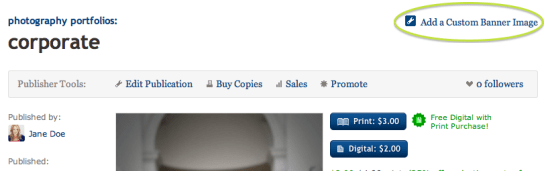
Once you have your image ready to go, you’ll want to navigate to your collection page. You can get here by visiting your profile page (yourusername.magcloud.com) or by going to one of your publications via magcloud.com/publish. On the right-hand side of the page, you will see an “Add a Custom Banner Image” button.

Once you have clicked the button, you will be prompted to find the image file on your harddrive, and upload it to MagCloud.

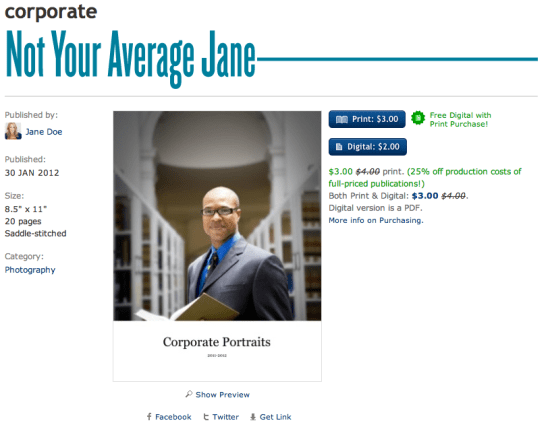
The image you upload will be visible on the associated collection page,

and on each of the individual publication pages within that collection.

Have you used custom banners or any of these HTML tricks in your publisher/publication descriptions?
If so, please share them below in the comments section to inspire others.

Extending Your Brand With a Magazine

Your brand collateral is the most important opportunity to talk about your product or service. But getting your target audience to read your brochure, or catalog cover-to-cover isn’t always easy.

That’s why so many businesses have found that branded magazines are a unique way to pique audiences interest with relevant content and information, while reinforcing their brand message. It keeps them top of mind in a format that gets to their customers or target audience more frequently—be it annually, quarterly or monthly. What’s better—it’s in a form-factor that is both familiar and comfortable for the reader.

Many businesses have found that they can better engage with potential customers and increase brand loyalty by publishing a magazine of their own. According to a study conducted by the Association of Publishing Agencies (APA Advantage Study, 2007) on branded magazines (or as they call them, “customer magazines,”) – customers spend 25 minutes on average with such a publication, compared with a TV ad (30 seconds) and an internet ad (0.5 seconds). That’s 25 minutes immersed with a brand.  And while in-house magazines were once considered glorified advertorials, today the use of subtle branding and genuine editorial content helps many successful businesses tactfully promote themselves. *Want to read more about the study? You can download the executive summary as a PDF here.

How does it work? Well, by presenting your business in a more editorial format you can:

  • develop prospective customers and foster increased loyalty
  • establish your organization or company as current on issues and trends
  • position yourself as an expert in your field
  • be a resource for information that is relevant to your audience
  • reinforce your style and voice
  • give depth and relevance to your brand in an environment you can control

Finding Inspiration

Take for example a few major brands that publish their own magazines: British fashion label Asos’ self-titled magazine includes advertising for products that appeal to their demographic, such as cosmetics, high-end watches and perfumes. They also balance the promotion of their own products by pairing them with complimentary pieces and accessories that work with their customer’s style.

Coscto has it’s very own The Costco Connection, which combines information about what’s new at Costco with a mix of lifestyle and small business articles.

USAA’s USAA Magazine focuses on advice for becoming financially secure, with articles that appeal to it’s wide audience–young and old.

The Lance Armstrong Foundation’s LIVESTRONG Quarterly—delivers compelling profiles and medically stoked articles in a publication that hopes to bolster the Lance Armstrong Foundation’s efforts to ‘make cancer a global priority.’

Each of these do a great job of combining editorial content with promotional content for their products, services, mission or cause. One great thing you will notice about all of them too? They each reinforce their brand through styling and voice, but without seeming like pushy sales collateral.

Getting Started

So how do you even get started creating a brand magazine? Well there are a number of things to consider, the first of which is the actual branding. Much like traditional collateral, a brand magazine should be in line with your  brand’s style and voice, but it where it differs is that a branded magazine needs to be subtle and controlled in how and when you promote your brand. A branded magazine should be designed with the customer’s tastes, interests, style and wants at the forefront; and weave in brand, product or service messaging where it actually enhances editorial and design.

Brand magazines can help you achieve your desired positioning in the minds of your stakeholders and customers. Whether your brand is edgy, luxurious, down to earth, straight to the point, or fun and whimsical, you want that same feeling to come across through your magazine. For most businesses, when you established your branding, you probably came up with words to describe your mission, voice, style and audience.

Put it Down on Paper

Now is the time to grab a piece of paper and start defining the sort of message you want to give to your customer. How do you want to establish your brand? What sort of content will you include, and how should you style it to be in line with your voice, mission and style? Use words to describe your brand and you customer– are they fashion-forward, politically-minded, edgy, traditional, mostly men or women, older, youthful etc?

These are your design principles and the list should be short and sweet. In as few words as possible, make clear the vision for the publication and any keywords people should keep in mind while designing.

Keep this list. Pin it to your wall. It will make for a great litmus test as you move forward and start creating. Every once and awhile go back to the list and be sure you are appealing to your audience and staying true to your brand.

Deciding on Color

This seems like a no-brainer, but coming up with colors that are true to your brand, that you use consistently throughout your magazine, is tougher that it seems. You may find sites like COLOURlovers helpful for exploring colors that work well with your logo or brand colors. Create a palette and save it. Then as you publish new issues, the consistent use of color will also reinforce your brand.

Typography

Now it’s time to define the typefaces to use: sizes, line height, spacing before and after, colors, headline versus body font, etc. With editorial content there is some flexibility in this, but defining a consistent style sheet will maintain the integrity of your publication and brand throughout the publication. Use fancy fonts sparingly, so that they maintain their impact and legibility on the page.

Create a Mock-up Magazine

This will eventually be your style guide, but at first it is a way to flesh out all of the style choices that you will want to make so that you can stay true to your brand. This will also help you keep a visual consistency not only throughout each publication, but also from publication to publication over time. Save this file and use it to start creating your magazine, then keep that original as a starting point for each subsequent issue–it will save you a lot of time!

Now Get Your Brand Out There

Now, you’re ready to publish. If you’re looking for more advice for designing your file, or templates to get you started, remember you can always check out our other Tips & Tricks!

How do you get your brand out there? Have you come up with other unique ways to keep you brand top-of-mind with your customers? Does your organization or company have a branded magazine? Tell us about it below in the comments section!

Member Communication Made Easy (Well, Easier…)

Whether you have a non-profit, church group, student association, small business, or sports team, getting your message out to your members, supporters, and investors can be a large task. Staying on schedule and under budget can be tough, and creating a print newsletter that looks good is only a fraction of the challenge. Then you have to worry about mailing lists, postage and distribution… and you have to do this annually? Quarterly? Monthly?! Yikes. My head hurts just thinking about it…

Well, now you can worry less, because you have MagCloud–and we’re working to make it easier for you. With Ship to Group functionality we can take on the heavy-lifting of drop-shipping to your mailing list and you won’t have to deal with pesky paper-cuts or trips to the post office. Digital distribution gives you the option to share a PDF with your users who prefer to stay up-to-date with their iPad or other digital device. And you can get it all done without having to leave your desk or get out of your PJs (no judgement here).

So since it’s the start of a new year, what better way to turn over a new leaf with your organization, than to turn a glossy page? Your publication can look professional and still be affordable if you publish through MagCloud and we’re going to help you get started right now.

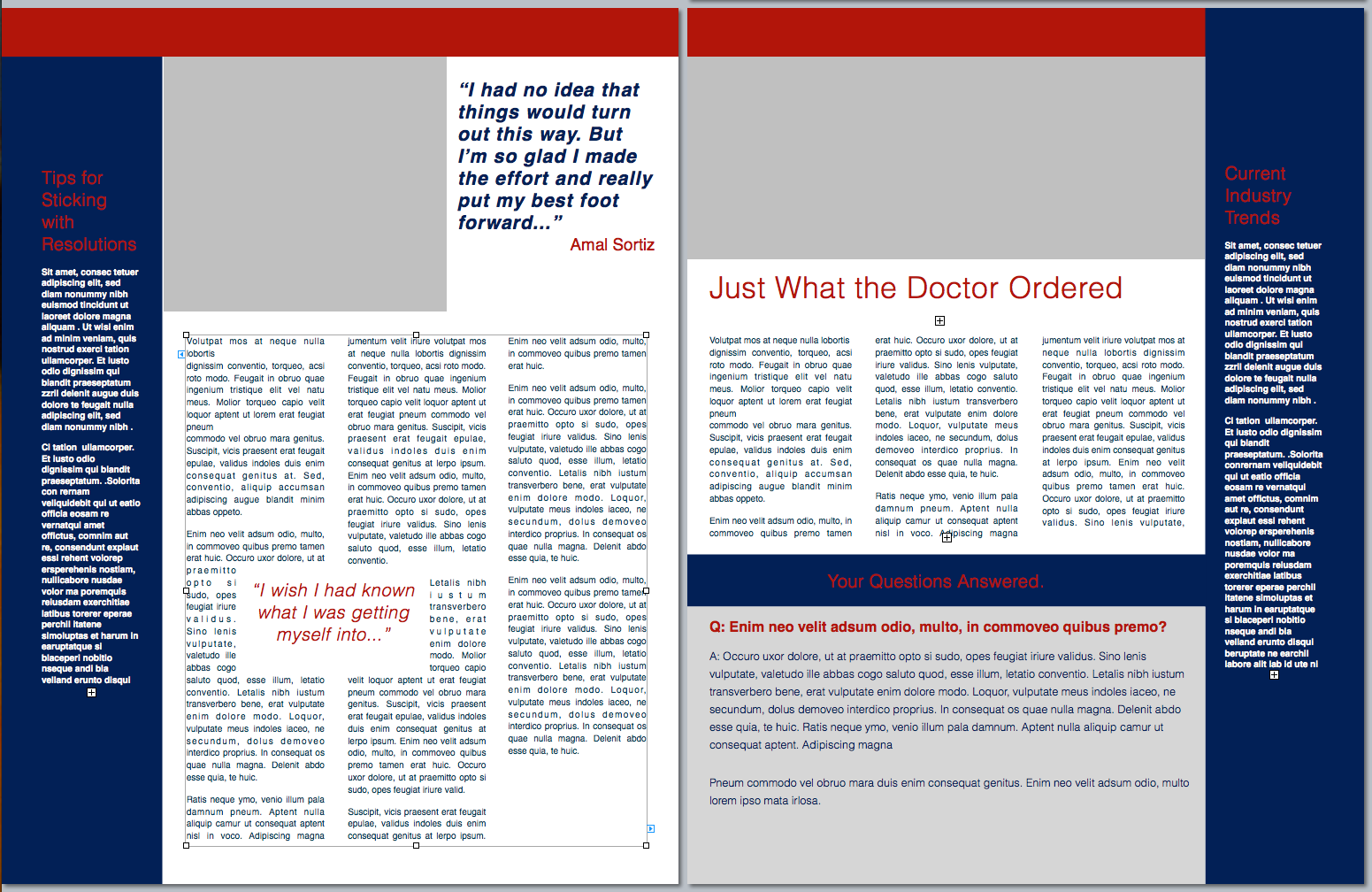
To make the process easier, we created a classic newsletter template designed for printing as a 4-page MagCloud publication (which comes to just 60¢/copy if you order 20 or more copies). It’s easy to edit and available in three software formats. Check out the original and a variation of the template on the left, and then get started creating your own in Adobe InDesign (CS3 or newer), Microsoft Word or Apple Pages. *Please note, you may have to “right-click” or “ctrl+click” to start the download.

Starting with a template is a great trick for speeding up the design process (don’t tell anyone I told you, but a lot of professional designers do it themselves) and many well-designed templates have style sheets built in that make it easy to change fonts and styles with just a few clicks of the mouse. So with a few simple typeface changes, tweaks to color, and some new imagery, you can easily transform this basic template into a newsletter that fits your organization’s image. We used Neutra typefaces and swapped in orange for our example, but how you customize it is up to you.

Want to try a different design?
Depending on your software of choice, you can also find great resources built into some applications or as free downloads in their online resources.

Apple Pages has built-in templates that can be great starting points, just be sure to check your margins and settings because these layouts may need a bit of adjusting so that they are properly centered on the page after printing/trimming. For more detailed help with this task check out the “Add guides to pages and adjust layout for trim” section of last year’s blog post.

Microsoft also has free templates available for Word and Publisher online at office.microsoft.com.

If you’re willing to splurge and buy a template, from an online source like stocklayouts.com, be aware that most of these templates are not designed to MagCloud specs and will need to be adjusted to 8.5″ x 11″ pages in order to output a properly-sized, MagCloud-ready PDF. So before you spend the money, be sure you select a file format for software you are comfortable with, and that you are prepared to make the necessary changes to set the file up to match our PDF specifications.

More Resources
Still needing more inspiration? Check out some of our past blog posts for newsletter content and design tips, or great sample publications. And as always you can find all of MagCloud’s design Tips and Tricks and all of our free templates in our Design Resources section of the blog.

Have you found other great templates or resources to use when creating your MagCloud publications? Then please share them below in the comments section.

Our Product Family Keeps Growing

Today we launched two new products into the MagCloud family–Digest Landscape and Flyer.

Digest Landscape is compact and ultra-portable at 8.5″ wide x 5.5″ tall. It’s perfect for portfolios, brochures, catalogs, books and more.  Simply upload an 8.5″ wide x 5.5″ tall PDF and we’ll trim it down by 0.125″ on the top and bottom and 0.25″ on the outside edge to a final size of 8.25″ wide x 5.25″ tall so it’s ready for our professional printing presses.  We’ve also updated our website preview app so users will be able to preview your publication in all it’s landscape glory.

Our double-sided, single sheet Flyer product is ideal for brief messages or content that changes often such as sales promotions, menus, product data sheets, event schedules and more. Simply upload an 8.5″ wide x 11″ tall PDF and we’ll get it ready for printing by trimming it down by 0.125″ on all sides to a final size of 8.25″ wide x 10.75″ tall.  We print Flyer publications as a single sheet with a front and back side, so if you only upload one page don’t worry we’ll automatically add a blank page for the back side.  The Flyer product does require a minimum print order of 10 copies which will be bundled into one shipping order.

We hope you enjoy these new products and would love to hear how you plan to use them in our comments section below.

When it Comes to Catalogs, Content is King

Over the past few weeks, we’ve shared tips and templates to help design your catalog for MagCloud. Today we discuss catalog content, and a few best practices to keep in mind when selecting your content.

First up, images. As they say, a picture is worth a thousand words, and you want the images you select for your catalog to speak highly of your products and services. Therefore, make sure you select high quality images for your publication (we recommend 300 dpi for printed publications), and that each image highlights the product or service you’re hoping to sell. Mixing up stand-alone product images with lifestyle imagery is a great way to offer more visual interest for the reader, just be sure that the products remain the focus regardless of the image style you select.

And where are images more prominent than on your catalog cover.  Catalog covers are critical in quickly grabbing your customer’s attention and getting them to open your publication.  MultiChannel Merchant recently published a great article discussing the key strategies in designing an effective catalog cover, which include relevance, emotion, drama and differentiaton.

Next, let’s talk about text. If you look at a lot of mainstream catalogs, you’ll notice that text is used only for detailed descriptions of the products and services being featured, but also as brief call out quotes and titles. Using text features like this help attract the reader’s attention and interest, and can be a great way to encourage the reader to linger over your catalog longer. It’s also a great opportunity to call out more marketable features of the products and services you are hoping to sell.

Similarly, smaller paragraphs of text are great for providing descriptions of your products and services, just be sure you don’t overwhelm your reader with too much text. You will want to include enough text to get your point across, but not so much that your customer loses interest halfway though.

Finally, just as important as the text and image content is how it is arranged. Since catalogs are complex by nature, it’s important to keep your content organized and clean. Having a table of contents and creating sections in your catalog can be a great way to break up a large amount of content. Also, as we’ve discussed before, using white space to break up your content is a great way to keep the focus on the products and services you’re hoping to highlight.

If you’re looking for more ideas and inspiration, check out Slodive’s 25 Best Catalog Design Inspirations.

Have any other tips to share from your own catalog creation experience? Share them in the comments below!

Attract an Audience to Your Event with Great Content

Whether you are planning a large conference, an intimate meeting for VIP customers, a quarterly gathering for club members, or an annual fundraising event, content plays a pivotal role in attracting and pleasing attendees.

Compelling speakers are the most important factor in attracting attendees to your event.  Finding speakers who are relevant, experienced and have a unique story to tell will not only drive attendees to your event, but keep them talking about it well after the event is over. You should even consider soliciting potential attendee feedback in the process of selecting keynote speakers, panelists and meeting topics.  A great example of this is the South by Southwest Panel Picker, which allows their community to vote on proposals for various speakers and panel topics, thus engaging their audience in the actual content programming of the event.

Networking is more than a handshake. Besides great speakers the other reason people attend events is to network.  As an event organizer you can help your attendees get the most out of the event by making networking easier before, during and after your event.  Use the existing social networks to get attendees talking prior to an event—event Facebook Pages or Groups, Twitter Hashtags, LinkedIn Groups etc.  Consider hosting Birds-of-a-Feather sessions or lunches where attendees can gather to informally discuss topics of mutual interest.

Attention grabbing materials.  Print and digital materials you use to promote your event—brochures, flyers, newsletters; and inform attendees while at your event—programs, daily papers, agendas etc. are an important factor in audience engagement. Events like music festivals, sporting events and business conferences are complemented well by programs that can serve as both a guide to attendees as well as used for marketing material down the road. An event program is a great way to showcase the talent you’ve organized, share the purpose of your event, promote your sponsors and acknowledge those who deserve thanks.

Here are a few of our MagCloud favorites (from MagCloud publishers as well as others) to provide some inspiration:

    • Conference of Creative Entrepreneurs published the program for their August 2011 event in San Francisco. This program does a great job of posting the packed schedule along with speaker bios and ads for local businesses (It’s clear they put a priority on great design – a top MagCloud tip!)
    • 2010 Albuquerque Balloon Fiesta – it’s not just about a one-week event in October. This program delves into the history of the annual Balloon Fiesta and gives details on each balloon flying at the event – it’s sort of like the “speaker bios” of the balloon festival world.
    • 2010 Justin Timberlake Shriners Hospitals for Children Open program has a clear focus on great photography especially the shots of the individual holes (pages 50-66) not to mention beautiful integrations with their sponsors. The ads are woven into the program and don’t feel forced or out of place.
    • SXSW 2012 Event Marketing brochure is chock full of impressive stats, engaging content and gorgeous design.
    • TED Fellows 2011 Booklet gives shout outs and thank yous up front along with a brief description of the program and of course a look at each TED Fellow and the work they are up to.
    • Guide to Davos dives into the topics at hand for the 2011 Davos Conference and gives the reader a feel for the tone and sheer importance of the event. Layout is unique and could work well for an event that requires articles in their program to communicate its story.

And if you are ready to get started on materials for your next event and need a little help check out our collection of free event program and brochure templates:

Have you taken a unique approach to selecting speakers, creating networking opportunities or created killer event materials? If so please feel free to share those ideas in the comments section and tell us what kind of feedback you received from event attendees and partners.


Tech Tools For Event Planners

It’s been an exciting couple of weeks in the MagCloud offices. Our friends at SmallBiz Technology gave us a great shout out on their blog! In 7 Tech Tools to Help You Organize Your Next Successful Event, Ramon Ray names HP MagCloud as an “awesome service for printing your event program.” Being featured is great kudos in itself, but we’re mostly thrilled that we are considered a go-to, reliable service for printing your event materials.


We’re always looking for ways to make MagCloud better for you, and it’s moments like this that make us feel we’re getting the job done. Thanks, SmallBiz Tech!

Are you putting together an event soon? Will you be using MagCloud’s print and digital services? How about the other superb companies mentioned in Ray’s article?

Let us know what you think in the comments below.