Publisher Spotlight: Overland Sourcebook

With more readers accessing their news, schedules and more on the go, having a publication available in print and digital is gaining importance and publishers are noticing.

As the Overland Expo team was developing their expo guide, they knew it was essential to use both print and digital formats when reaching out to their thousands of global attendees each year. They needed a service that provided online and print-on-demand resources for their readers.

That’s where MagCloud comes in.

Founded three years ago in Arizona by Roseann Hanson, the Overland Expo is held every spring and tailored to adventure travel enthusiasts. As part of this year’s Expo, their team published Overland Sourcebook, their first MagCloud magazine, because they saw that 34% of their email news subscribers access their news via iPhones with now iPads becoming another source. “We must be ready to provide material to this market,” she exclaimed. “We see the ‘writing on the wall’ to provide digital as well as print materials.”

As a 60-page listing for all things adventure – vehicles, motorcycles, accessories, camping equipment, services, information, trip planning, business consultants, fabricators, and much more – the Sourcebook became a convenient and well-received guide for the Expo’s attendees.

Hanson attributes their Sourcebook’s success to their marketing plan which combined traditional and social media efforts. “Word of mouth, in today’s high-paced, noisy world, just doesn’t work any more,” said Hanson.

Hanson noted how MagCloud “is so easy to use” for both their team and customers. Pointing out the speed and ease of uploading their digital files to MagCloud’s timely support, Hanson advised new MagCloud publishers to “test, test, test and give yourself plenty of time to get things right as well.” The Expo team also loved how easy it was to integrate the Sourcebook with iPad. “[Our readers] were very impressed and the quality is wonderful.”

If you love the outdoors and are always on the lookout for adventures that await in the unknown corners of the world, you can also own the inaugural issue of Overland Sourcebook for $13. Overland Expo donates a good portion of their proceeds from the event to support ConserVentures, a program in place to promote the exploration of the planet and conservation of its natural and cultural resources.

Summer Festivals Galore!

Summer is a great time for vacations and relaxation. It’s also the season for many music festivals and film festivals. For the behind-the-scene teams that organize these events, it’s hard work right up until that last note is played and the final credits are rolling.

At MagCloud, we’re here to help make sure your event goes off without a hitch. We can make you confident that your printed programs, brochures and handouts are of the highest quality without breaking the bank.

Get started and create a PDF file of your publication, easily upload it to http://www.magcloud.com, preview your work, then select your print options. It’s that easy! It costs $0.20 per page and note that all orders for 20 or more print copies receive a 25% discount off the productions costs. Plus you can make the same PDF available in digital format for festival goers who want to enjoy the program on their mobile device or computer.

One of the perks of using MagCloud is that the connection you create with your audience doesn’t have to end at the event. We encourage you to publish a post-event roundup and share it out with festival goers via mail, email or your favorite social network. It’s taking that extra step that will bring people back next year, and it’ll be a fun, unique way to remember the festival long after the summer fades.

Need more details on what the process actually entails? We’ve got you covered. Remember, if you ever run into trouble or just need to learn more, you can always visit our Ask MagCloud page or find us on our social media channels (Twitter, Facebook and LinkedIn).

Wishing everyone a happy, fun-filled and rockin’ summer!

Vacationing with MagCloud

Memorial Day is a welcome beacon that summer is around the corner. As you finalize your plans for summer, MagCloud wants to provide you with a way to capture all of those special memories and experiences – whether it’s a staycation near home, a road trip to the national park or a getaway to an exotic locale.

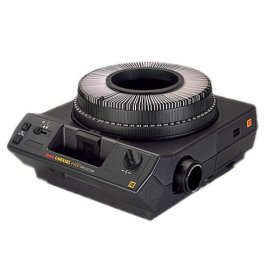
How are you chronicling this precious time? Some of us may remember those family gatherings in front of the carousel slide projector or the bulky albums our parents put together after every trip. Now with MagCloud, you can create a personal memento in magazine format to easily share your memories with family and friends in print and digitally.

Here are a few tips and tools to assist you through the process:

  • If you’re creating a simple photo magazine, below are a few tips and resources to “prep” your images before publishing.
    • To produce a quality publication, make sure all images have a resolution of at least 300 pixels per inch.
    • If you’re looking for photo editing tools but don’t have access to Photoshop, check out GIMP (free software that features most of the capabilities that Photoshop offers) or any of these additional photo editing tools.
    • Short on time or not comfortable with design tools? Give Poyomi and turn the photo sets into a magazine without using a design program.
    • Need inspiration? Browse through some of our travel and vacation magazines.

Have you ever used MagCloud to create a magazine of memories? It’s even a great way to commemorate a school year, a birth, a wedding and more. With MagCloud’s digital publishing and print-on-demand capabilities, it’s never been easier or more budget-friendly to capture the special moments in life.

Put MagCloud to Work

You heard that right. MagCloud can help bring your professional projects to life in print and digital. Our service is a great way to showcase your work to customers, clients, colleagues, partners etc.

Besides magazines, we’ve seen a variety of creative ways that MagCloud customers have used our service for their most demanding business needs.  So whether you are creating a portfolio for client meetings, company brochure, customer newsletter or product catalog, MagCloud will take your publication from PDF to printed magazine and digital download with just a few clicks of the mouse. Planning an event? We’ve got you covered there too. Our event planners and marketing customers have utilized MagCloud to print event souvenir programs, meeting programs, handouts and brochures. You can even publish your workshop manuals with us too.

Whatever the purpose – fun, commemorative, professional or informational – there are no boundaries to the way people are using MagCloud. Let us bring your story to life. MagCloud can help promote your company, products and services in both professional quality print format or digitally for viewing on a PC or mobile device. Whether you are ordering 1 or 1000 copies, MagCloud will ship your business documents to customers and colleagues all over the world. Visit magcloud.com/work and learn about the many ways we can help you make your next gallery exhibit, client meeting, workshop, convention and fundraising event that much better.

What other ways do you use MagCloud? Share your past, current projects and future ideas in the comment section below.

More Ways to Enjoy MagCloud Magazines

Enjoy MagCloud magazines when and where you want with new digital distribution options.

You can now enjoy your favorite MagCloud magazines on a PC, Mac, WebOS, iOS, Android or any device that supports PDF. So as a MagCloud publisher there’s nothing for you to do except choose which of your magazines you want to offer as digital issues; we will use the same PDF you upload for print to create this new digital product, so very simple and easy. For MagCloud readers this means choice and simplicity, allowing you to purchase once and read on any device at anytime.

Digital issues are a great way for more readers to discover and consume all of the great magazine content available through MagCloud, and for publishers to add additional value and exposure to their professional quality print editions.

Publishers will now have the option to charge for digital issues of their magazine. When publishers opt-in to digital distribution they can now choose to make their digital issues free or paid. Publishers are also given the option to bundle a free digital issue with a paid print order, allowing them to provide their readers with a convenient print+digital bundle.

We are also working on an optimized magazine viewing experience for iPad and other platforms in the future.

The new digital distribution features offers readers more choice with a simple and elegant purchase experience, and for publishers all it takes is a few mouse clicks to start offering your magazines in both print and digital formats.

Publishers, find out how to opt in to digital distribution or read our FAQ for more background on these great new features.

Sending Your Holiday Newsletter Just Got Easier

There’s no ignoring that the holidays are creeping closer. It’s time to take that family portrait, write those greeting cards and send our annual updates and well-wishes on their way to our loved-ones.

But if you’re like me, the idea of hand addressing 100+ cards to family and friends, and stuffing envelopes seems like madness.

But for just 60¢ each (when you order in bulk), sending a 4-page glossy family newsletter is much more fun and affordable and you can you can save the wasted hours and annoying paper cuts from stuffing envelopes.

We’ve created six holiday newsletter templates to get you started so you can spend more time enjoying a cup of hot cocoa and playing with the kids.

How it Works
A 4-page publication costs just 80¢ when ordered individually and drops to 60¢ when you order in bulk of 20 or more copies. So you can create a 4-page newsletter and ship them anywhere in the US for about $1.70. Better yet you don’t have to brave the crowds at the post office or lick a single stamp.

Using MagCloud’s “Ship to Group” Feature
The “Ship to Group” feature lets you mail publications to multiple recipients with a single order. That means you can design your newsletter, upload it to MagCloud, and let MagCloud handle distributing copies to everyone on your list.

Shipping each copy costs more than a USPS stamp, (it’s about $1.09 domestic) but when you consider each copy only costs you $0.60 (when you order 20 or more copies)–spending less than $1.70 for 4-full-color pages, delivered to your loved ones with just a few clicks of the mouse–is easily worth it!

If you need help working with Adobe InDesign, Microsoft Word, or Apple iWork Pages check out previous posts on working with each application in our  ‘tips and tricks’ section.

For a basic template that maximizes your space for a family newsletter, and gives you the ease of “Ship to Group,” check these out:

Preview the InDesign (Ship to Group) Newsletter Template

DOWNLOAD the InDesign CS4 or newer (Ship to Group) Newsletter Template

Preview the Word (Ship to Group) Newsletter Template

DOWNLOAD the Word (Ship to Group) Newsletter Template

Preview the Pages (Ship to Group) Newsletter Template

DOWNLOAD the Pages (Ship to Group) Newsletter Template

Ship it Yourself:
If you prefer to put a little extra love into your mailing, want to sign your name, add a sticker or simply put a personal note in a few of your messages, then use one of the  “Fold and Ship” Holiday templates. These have an address area for you to adhere address labels and a stamp, and are intended to be folded to a 8.25″ x 5.375″ size and sealed so that they can be mailed with a 44¢ 1st-class stamp.

This template style requires that you order a bulk order to be shipped to youself, and then you handle folding them in half and mailing. While this process can save you a bit of money–these averages about $1.35 per letter–(depending on stickers, address labels and postage) it’s more time consuming.

Preview  the InDesign (Fold and Mail) Newsletter Template

DOWNLOAD the InDesign CS4 or newer (Fold and Mail) Newsletter Template

Preview the Word (Fold and Mail) Newsletter Template

DOWNLOAD the Word (Fold and Mail) Newsletter Template

Preview the Pages (Fold and Mail) Newsletter Template

DOWNLOAD the Pages (Fold and Mail) Newsletter Template

FREQUENTLY ASKED QUESTIONS:

How Do I Create a Group Order?

Simply create an address group in your MagCloud address book (Account>Address book>Add New Group). Name your group — clients, friends, family, vendors etc — and select group members from existing recipients in your address book.

Once your recipients and group are ready, add the newsletter to your cart. Set the quantity to the number intended for each recipient, not the total for all recipients. For example, if you are sending 1 copy to 20 recipients you should set the quantity to 1.

When you get to the shipping page, click “Select from Address Book »”, choose your address group and complete checkout. That’s it! Costs will be displayed for the total order including all recipients.

Can I upload my own mailing list to my MagCloud address book?

Not currently, but that is a feature we hope to offer in a future site update.

Have more questions about Shipping or Publishing through MagCloud?

Check out our Help Section and Shipping FAQ.

Promote, Share and Better Target Your Magazines

We’ve made some changes to magcloud.com to make it easier to promote and get the word out about your magazine.

You can add a little personality to your magazine profile page by uploading a custom banner image.  Simply click on Publish, then select the title of the magazine you want to add an image to and you’ll see a new “Add a Custom Banner Image” link at the top right of the magazine page.  You can upload a JPG, GIF or PNG image (790×90 pixels) to your magazine profile.  Magazine banners are a great way to give your publication more personality and reinforce your brand. Note: if you had previously linked to a banner image on a website you’ll need to upload a new image for your magazine.

We’ve also made it easier to share magazine issues with friends, colleagues and clients. Each issue page now has a series of share links so you can promote your magazine issue on Facebook, Twitter, send an email (when signed in) or post a link on your blog or favorite social media site.

Finally, a number of publishers have asked us to help them better target their magazines with expanded category options.  So we recently added a number of new categories to choose from when creating your magazine–Brides & Weddings, Comics & Graphic Novels, Computers, Education, Electronics , Gay & Lesbian, History, Movies, Music, Outdoors & Nature, Parenting & Families, Regional, Sci-fi & Fantasy, and Seniors.

We hope you enjoy these new features and as always we would love to receive your feedback.

New Ways To Promote Your Magazines

Looking for ways to showcase your magazine on your blog, website or favorite social network?  Try out the new custom MagCloud Widgets! Select the size and colors you prefer for your magazine widget then simply copy and paste the code into any site that accepts HTML.

Want to attract more followers?  Try out our nifty new MagCloud badges to encourage more people to follow your magazine and show your MagCloud pride.

Interested in other ways to promote your magazines to the world at large? Then check out our new Promote Page.  Send an email or share a link with friends, co-workers, family and other like minded individuals letting them know about your latest magazine issue.

What are you waiting for?  Your magazine rocks so let the world in on it!

Publisher Spotlight: Plant Society Magazine

From 20/30-something hipsters with first-time plots in big city community gardens to lifelong rare plant collectors and members of the most esoteric of gardening societies, anyone with a desire to dig around in dirt will find Matt Mattus’ newest venture, Plant Society Magazine, not just educational, but inspirational.

Mattus, an author, designer, brand creative, adventurer, naturalist and plant expert, is well known among green thumb types. His popular gardening blog,growingwithplants.com, attracts plant enthusiasts from around the world who are fans of his near-daily diary entries and enjoy the stunning photographs from his many gardens.

When Mattus learned about MagCloud’s print on demand service last year, he began thinking a print magazine would be a perfect extension of his blog — a way to provide yet more in-depth knowledge and greater detail about connoisseur and collectable plants, with a bit of food, travel, design and home and garden décor mixed in for good measure.

“These days, mainstream gardening magazines are too commercial and ordinary,” Mattus says. “Plant collectors and rare plant enthusiasts want something unique and original. They’re curious about discovering new things.”

And Mattus is just the one to uncover anything exciting and unusual. As a creative director at Hasbro, it’s Mattus’ job to discover new trends in the making — and to keep the company a few steps ahead. He has even written a book on the subject: Beyond Trend – How to Innovate in an Over Designed World.

It’s a mission that has become his personal passion, especially when it comes to gardening. A self-described “hortigeek,” Mattus lives on his family’s 100-year-old farm in Worcester, Mass., where for the past 40 years he has collected and grown rare plants and actively participated in obscure plant societies — Androsace Society, anyone? He planted his first seeds on the farm at the age of 5 and remembers when the zinnias were taller than he was.

His own experiences are a sharp contrast to the modern science efficiencies so common in the gardening world today.

“With the rise of mass-produced micro-propagated plants that are all the same at every home center around the world, I can see dumbing-down happening everywhere,” Mattus says. “They’re selling ‘supertunias’ and sheep-sized Chrysanthemums. Gardening has morphed into a pastime that feels more like disposable decorating. But I know there’s still a huge population of gardeners out there who still honor the art and science of it all.”

It’s this population that Mattus reaches with his blog and now with Plant Society Magazine. He writes all the content, focusing only on plants that he, himself, has grown. And he pulls images from his vast collection of more than 10,000 photographs he has taken of plants from his greenhouses and gardens. He organizes his photographs by species and time of year.

“I have so much content, it’s a little overwhelming,” Mattus says. “I’m obsessive when it comes to plants. I photograph every step of the growing process, from planting the seeds to tending to them — even how I display them in pots and vases. With MagCloud, I don’t have to design something six months in advance. I can shoot my cover the same day that I upload my files to the MagCloud website.”

Mattus published his first issue, High Summer, in 2009, featuring 75 pages of in-depth information about, and photographs of, exhibition chrysanthemums, dahlias, pelargonium, nerines and crocosmia.

His Autumn issue focuses on cultivating miniature species Narcissus for cold greenhouses and alpine beds, odd and rare winter blooming bulbs, Cyclamen species in pots and winter shrubs for color.

Mattus promotes the magazine, which also will include Spring, featuring the genus Primula, seed growing, Corydalis and rare Japanese orchids, and mid-Winter editions, on his blog and through his Twitter account.

“I love being my own editor and art director,” he says. “I also appreciate being in charge of my own advertising. You’ll never see me writing about organic gardening and then running an ad for fertilizer on the next page.”

Mattus still recalls the day his first issue arrived in his mailbox. “It came in a plastic bag, and it looked like a real magazine,” he says. “I work with printers all the time. The quality I get from MagCloud is as good as anything out there. I would recommend MagCloud to even the pickiest of designers.” Mattus also appreciates the ease with which MagCloud handles all the order processing and distribution. “Anyone in the US, Canada or UK can order issues direct from the MagCloud website, and can even pay directly with a credit card or Paypal,” he notes. “MagCloud prints to order, and in five days or fewer, the magazine is printed, bound and mailed directly to the reader.”

Without MagCloud’s self-publishing service, Mattus says a magazine like his, with its relatively smaller run and niche market and lack of a traditional distribution channel, wouldn’t be possible.

“I understand the need for big publishers to remain profitable,” Mattus says. “But the publishing business is changing so fast. Self-publishing is now much more accepted in our new digital world of blogs, Twitter and Facebook. For me and for the readers I want to reach, MagCloud is the perfect solution.

“Frankly, I had no idea how the magazine would be received,” he adds. “I expected both positive and critical comments, just as I get on my blog. And that’s terrific. My favorite comments are from readers who tell me that Plant Society Magazine is better than the fancy British gardening magazines. One reader said, ‘Finally, a well-designed and informative magazine that not only shows me step-by-step tasks, but that actually teaches me how to grow something out of the ordinary.’

“That’s exactly what I’m striving for.”

Check out the latest issue!

Publisher Spotlight: Fotoblur Magazine

After struggling to get his work published in print, software developer and photography enthusiast Lance Ramoth set up a little spot on the Internet where he and a few photographer friends could easily post their fine art images. Through the site, Ramoth reckoned, they could encourage one another, vote for their “community favorites” to be featured on the home page and enjoy some great talent that might otherwise go unnoticed.

He dubbed the site fotoblur.com, and before long, with word of mouth and the magic of the Internet, itself, his small group in early 2007 blossomed into an international community of 2,500 members today and counting.

“I was surprised by how well it worked,” Ramoth says. “The images that the community selected as their favorites were among some of the best photographs I had seen. Launching our own magazine just seemed like the next step given that we had a pool of great photographers who would provide the content.”

And photographers who appreciate the reproduction quality of print. “It’s just dramatically better than what you see online,” Ramoth says. “Plus, Web sites come and go, but magazines can last decades. And for those of us chronically attached to our computers, it’s nice to be able to enjoy a magazine anywhere besides on our screens.”

Ramoth’s instincts were spot on. The first issue of Fotoblur Magazine drew 600 submissions from the fotoblur.com community. Issue 2 brought in 800. By the time Issue 3 (the most recent issue) came around, Ramoth was overwhelmed with 1,400 images.

Just as the fotoblur.com community votes for favorite images to be featured on the site’s home page, members also vote on which images should appear in the magazine. Ramoth and a small group of editors review the top 10 percent of the vote-getters, selecting 40 or so black-and-white and color images per issue that represent a diverse cross-section of subjects and a range of photographers, themselves.

Ramoth then designs the issues, usually devoting a full page to each image with very limited text and no advertising.

“There are already a lot of photo magazines out there with articles and ads,” he says. “But our philosophy is all about the image and the celebration of it. Each image contains a story in itself and requires a full page for it to be fully processed and appreciated by the viewer.”

The decision to bypass advertising meant, of course, that Ramoth needed a way to print the magazine without incurring any expenses. He heard about MagCloud from a colleague and decided to give it a try.

“I’ll admit that I was skeptical about the print quality,” he says. “But when I held the first issue in my hand, I was simply blown away — it truly exceeded my expectations. The color of the images was spot on. There was little to no color cast on the black-and-white images, which was one of my major concerns. I just remember thinking, I really did it!”

Since Ramoth runs fotoblur.com and manages the magazine almost singlehandedly, he appreciates that MagCloud handles all the printing, shipping and order processing details. He looked into working with a few newsstand magazine distributors, but found that the upfront costs and the need for advertising to support the distribution would have threatened his creative vision. “MagCloud allows me the freedom to concentrate on the results I desire creatively,” he says.

As each issue is published, Ramoth spreads the word via fotoblur.com, as well as through Twitter (@fotoblur) and digital publication sharing services like Issuu (issuu.com) and Scribd (scribd.com) and various file sharing services. Contributors to the issues also help publicize the magazine’s availability.

Ramoth makes the issues free to download and view online and supplies links to MagCloud for those who’d like to purchase the print version, $15.40.

Ramoth hasn’t given up on his hope to turn Fotoblur into a newsstand magazine if he can attract enough purchasers. He’s also considering combining all four of this year’s issues into a hardcover book.

His advice for other potential magazine publishers? Purchase a good software package, create the content and do it. “When I told people that I wanted to start a photography magazine, they thought I was crazy,” Ramoth says. “But I just didn’t listen — I just did it anyway.

“Be creative, publish, then promote,” he adds. “It’s an amazing experience in itself, and you’ll feel something special when you turn that idea in to something tangible.”

Check out the latest issue!