
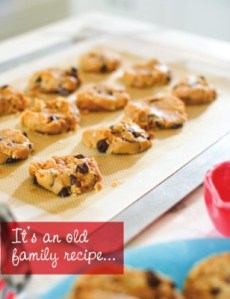
 It’s that time of the year, which means it’s time to start thinking about gifts…
I used to spend 3 days making dozens of batches of home-made biscotti to give to the neighbors and friends who unexpectedly drop by during the holiday season.
But this year? Well, let’s face it–I’m too busy to spend 3 days baking, packaging and crafting these little masterpieces.
Instead, I have decided (Sorry friends, your surprise is ruined!) to give my loved ones and neighbors a custom cookbook, filled with our family favorites, printed by MagCloud.
Today I will share with you a template that I have made in InDesign and a few tricks for customizing it for your own use.
GETTING STARTED:
You can start with my custom-designed template that is already formatted for MagCloud settings, or create one of your own. MagCloud’s InDesign document settings and a blank template are available at magcloud.com/help/indesign
Download my InDesign Template.
Preview my cookbook on MagCloud.
CUSTOMIZING YOUR TEMPLATE:
Transforming this template into something of your own is pretty simple using style sheets. Before you start entering your own information, I suggest your go through the template and adjust the colors and fonts to your choosing.
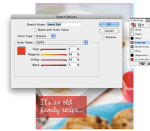 Change your Spot Color
1. Open the Swatches Panel
In CS6 or higher click Window > Color > Swatches
2. Double Click on the color named “sweet red”
3. Adjusting the C,M,Y and K values will change the “pop of color” on all of the pages where it is used in the template.
Adjusting Paragraph Style Sheets
Open the Paragraph Style Panel.
In CS6 or higher click Window > Styles > Paragraph Styles.

Once you have the Paragraph Styles Panel open, you can then go through the document and change your fonts and colors. You will notice that the style sheets are divided into subcategories based on where they are in the document. (Tip: by opening up all of these sub-tabs you can easily see what style affects each block of text you select on the page)
 To adjust the settings of your paragraph styles:
1. Select the text you want to change
2. Identify which Paragraph Style you are selecting within the Paragraph Styles Panel
3. “Right Click” or “Ctrl + Click” on the highlighted style in the Paragraph Styles Panel
4. Using the Paragraph Style Options Dialog box, adjust the font details
Add Your Own Photos and Personal Touches
Change the title, insert photos, recipes and update the intro letter to reflect your own personal style. You can even include a photo of the person who gave you the recipe or a special quote from them.
 (Tip: to include more recipes select a “spread”–2 side-by-side pages–within the Pages Panel, and [ctrl + “click”] or [“Right Click”] on the highlighted pages within the panel. Select “Duplicate Spread,” this will insert a set of identical pages in your document.)
**Note that you will want to have a page count that is an increment of 4 pages to print with MagCloud… such as 16… 20… 24… 28… You get the idea!
SAVE AND EXPORT A PDF:
Want a quick easy way to be sure your export settings are correct?
DOWNLOAD the MagCloud PDF Export Job Options file
*If you are on a Mac: double click on the file, it will open in an Adobe application and add it to your presets. You can then close that application and return to InDesign.
*If you are on a PC, within InDesign go to File > Adobe PDF Presets > Define > Load
Find and Select the file you downloaded called “MagCloud_PDF_Export” > Click Done
 To use these imported settings, with your file open in InDesign,
Select File > PDF Presets > “Adobe PDF Preset for MagCloud”
Name and Save your PDF and you are ready to publish!
Other Fun Ideas for Your Cookbook:
– make your cookbook themed with all family classics or recipes from a particular family member like “Granny’s Favorite Recipes”
– make a genre themed cookbook, like “Sweets,” “Holiday Dishes,” or “Brunch”
– make a cookbook for a school fundraiser and call it “Bake Sale”
– Ask friends to contribute recipes and do a collaborative cookbook


 The mid-year timing of Father’s Day is a perfect opportunity to create a custom photo calendar that your dad can enjoy through the end of 2014. We’ve modified our
 Before you and your friends head off in various directions after graduation, commemorate the fun times you had together in a photobook. MagCloud’s 8.25″ x 5.25″ Digest product is a great size for displaying full color photographs in a nice compact format, and only costs $0.16 per page to print. Check out our blog posts about creating photobooks with
  Now that you’ve received all those generous graduation gifts, show your appreciation with customized thank you notes. MagCloud’s single sheet Flyers in our smaller Digest size are printed on a heavier cover stock that make them ideal for using as flat notecards, and the size fits perfectly into
  For those of you heading into the work world as artists, photographers, designers, architects, or writers, MagCloud is a









 Publisher's Corner