
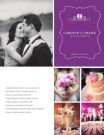
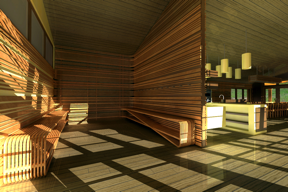
No sooner did Jennifer Koskinen begin using MagCloud to showcase her architectural photography work than she found herself designing MagCloud magazines for her clients, too – quickly parlaying her architectural firm into a photography and graphic design boutique. In fact, MagCloud was a source of inspiration for transforming her architectural skills into graphic design skills.
“I love the creativity of designing photographs and then thinking of how to best present them,” Koskinen says. “MagCloud makes it easy and affordable to experiment with design ideas and try new things.”
 How did your architecture work lead to your new career in photography?

Jennifer Koskinen I fell in love with photography when I got my first camera in the eighth grade. But I’d never considered working as a photographer. I pursued a career in architecture, instead.
After a few years of design work, my firm hired me to shoot scouting photos of one of our projects in pursuit of publication. So I submitted my photographs to a magazine, thinking they’d send their own photographer to reshoot them.
The magazine loved what I sent and wanted to publish them. It was just the validation I needed to start shooting more, and soon I realized that I felt more creative photographing architecture than designing it. I absolutely love photography! It’s hard to believe that I get to do this for a living!

How did MagCloud inspire you in your graphic design business?
JK I started creating my own magazines with MagCloud to give to existing and potential clients. Everyone loved them, right from the start, and wanted me to design magazines for them, too. I’ve created eight MagCloud magazines so far for other architects, builders, chefs, jewelry designers and so forth, with two more in the works. My clients in turn use the magazines to market their work, which makes for fabulous co-marketing for all of us!
How did you get started publishing through MagCloud?
JK I’d been interested in self-publishing in general, but could find solutions only for books. When I came across MagCloud, I was immediately excited. The first thing I designed was a magazine for my architectural photography. The magazine format was intriguing, so I even wrote stories and included advertisements for some of my clients.
How has MagCloud made a difference?
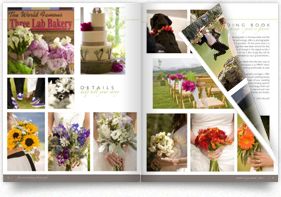
JK Next to my website, distributing my MagCloud magazines to potential clients is the most important thing I can do to attract business. I love the reaction that I get from people when I hand them out. People visibly respond to something they can hold in their hands and flip through at their own pace. I see them feel the paper and the weight of it. The pages hold the color so well. It’s one thing to see my images on a computer monitor – it’s nice to see them in print, too.
There’s nothing else out there that beats the quality and the price point better than these magazines. They’re invaluable, and they give my business credibility. There’s no doubt that my sales have dramatically increased because of MagCloud.
What tips would you give to someone new to self-publishing?
JK Dive in. When I set out to design something, I look at things I love, study graphical trends, fonts, proportions – even white space and how it’s used. It’s really fun to play with, and MagCloud’s templates make everything so easy. I recommend studying what you like and then creating something that’s your own, including things you’ve noticed and like in other people’s designs. Have fun and try things you’ve never done.
If your publication were a superhero, who would it be?
JK Pixelgirl! She’s a stylish superhero who can fly – cameras in tow – from location to location, harnessing her amazing powers of composition and her ability to capture the most dynamic subjects in the most beautiful light. And she gets home in time to cook dinner for her son!


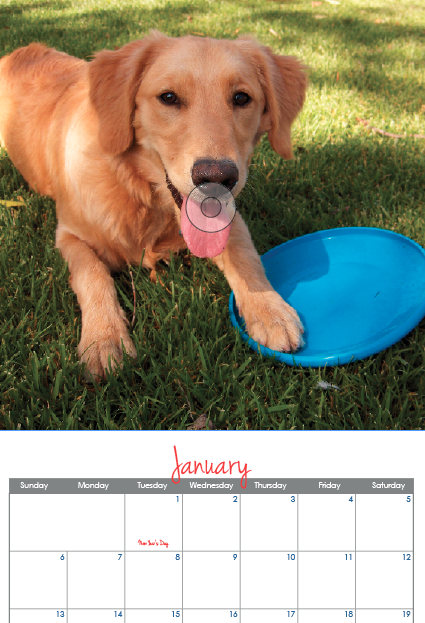


 Adobe’s recent update to Lightroom added a Book module. Currently, the module is limited to a set selection of sizes, however it does allow users to export the books they create as a PDF. Until Lightroom allows you to create books in custom sizes, books created with the Small Square and Large Square sizes can be exported as PDFs and used to create 8″ x 8″
 For an 8″ x 8″ MagCloud publication, select your Book Settings to match those shown to the right. Specifically:
 For a 12″ x 12″ MagCloud publication, select your settings to match those shown to the right. Specifically:
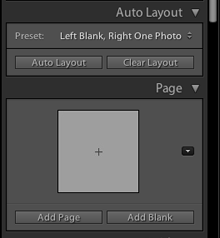 One option for adding pages is to choose a Preset under the Auto Layout section, and click the Auto Layout button. This will automatically add pages to your book and layout all the photos from the collection you have selected based on the Preset you specified. This is a great way to get a book laid out very quickly, but all of your page layouts will be the same. If you want to change any of your page layouts after using the Auto Layout function, you can always do so by selecting the page and choosing a different layout from the Page section.
 When you have finished laying out your content, click the Export Book to PDF button in the bottom right-hand corner of your screen. Select a name for your PDF, and choose where you want it to be saved on your computer. After you click the Save button, you can track the progress of your PDF in the upper left-hand corner of the screen. Lightroom will export two PDFs: one that is a single page and has “Cover” added to the filename and another that is a multi-page PDF. For creating a MagCloud publication, you can disregard the cover PDF, and just upload the multi-page PDF to the
  When selecting your layouts and choosing images, it’s good to keep in mind how your PDF will be trimmed by MagCloud. The Lightroom layouts all have a pretty good margin around them, so there shouldn’t be an issue with keeping content inside the MagCloud-recommended safe zone.

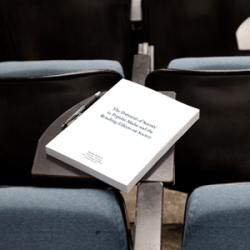 As we are nearing the end of the school year, many students are likely working to complete a thesis or final project. MagCloud offers a great option for publishing these works, whether you are writing a text-heavy dissertation or putting together a more visual project culminating a study in design or photography.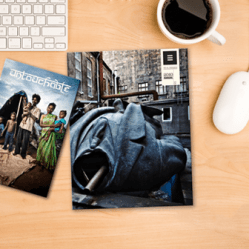
 During the school year, MagCloud is a great resource for students outside the classroom. At all levels of education, students active in clubs, sports and other extracurricular activities can use MagCloud for printing flyers, newsletters, and even full-length magazines. For example, when a club or sport is looking to attract new members or publicize an event, the MagCloud


















 Publisher's Corner
